Home
Certification Prep // 220-1202

4.0 Operational Procedures

4.7 ~ Given a scenario, use proper communication techniques and professionalism.

core2-lab.exe
> load objective 4.7
> map scenario clues
> verify and document
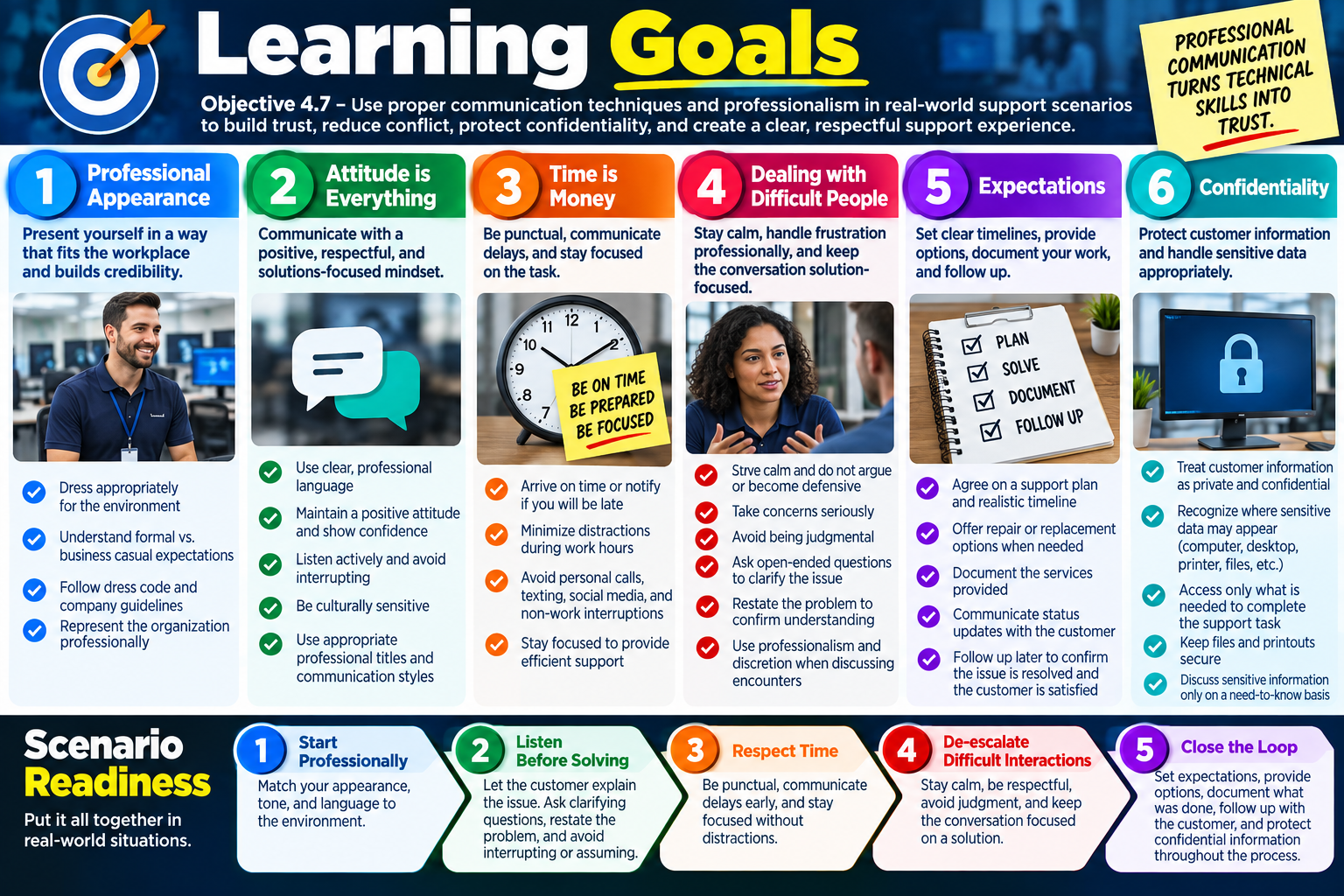
Learning Goals infographic for Objective 4.7 covering professional appearance, attitude, time management, difficult people, expectations, confidentiality, and scenario readiness.
Objective 4.7 learning goals focus on professional communication, trust-building, time respect, customer de-escalation, expectation management, and confidentiality.

Learning Goals

By the end of Objective 4.7, you should be able to use proper communication techniques and professionalism in real-world support scenarios so you can build trust, reduce conflict, protect confidentiality, and create a clear, respectful support experience.

Module 1 - Professional Appearance Choose attire and presentation that match the workplace, customer, and situation; distinguish formal and business casual expectations; follow dress code guidance; and represent the organization professionally.
Module 2 - Attitude is Everything Communicate clearly with everyday language, maintain a positive and solution-focused mindset, listen with purpose, avoid interrupting, and respect cultural differences, professional titles, and communication styles.
Module 3 - Time is Money Demonstrate punctuality, communicate delays quickly, minimize distractions, stay focused on work tasks, and keep personal calls, texting, social media, and side conversations from interfering with productivity.
Module 4 - Dealing with Difficult People Stay calm with frustrated customers, avoid arguments and defensiveness, take concerns seriously, ask open-ended questions, confirm understanding, avoid judgment, and use discretion after challenging interactions.
Module 5 - Expectations Agree on the support plan, explain realistic timelines, provide repair or replacement options when appropriate, document the work performed, and follow up to confirm the customer is satisfied.
Module 6 - Confidentiality Treat customer information as private, recognize where confidential data may appear, access only what is needed for support, keep files and printouts secure, and discuss sensitive information only on a need-to-know basis.

Scenario Readiness

  1. Start professionally. Match your appearance, tone, and language to the environment and audience before technical work begins.
  2. Listen before solving. Let the customer explain the issue, ask clarifying questions, restate the problem, and avoid interrupting or assuming.
  3. Respect time. Be punctual, communicate delays early, stay focused, and avoid personal distractions during work tasks.
  4. De-escalate difficult interactions. Stay calm, do not argue, take concerns seriously, avoid judgment, and keep the conversation focused on a solution.
  5. Close the loop. Set expectations, document what was done, follow up when appropriate, and protect confidential information throughout the process.
Lesson ModuleModule 1 / 9
PRO
Module 01

Module 1 - Professional Appearance

Professional appearance is the way a technician visually represents themselves, the IT team, and the organization. Dressing appropriately for the environment helps build trust, shows respect, and creates a positive first impression before the technical conversation even begins.

For Objective 4.7, professional appearance is part of communication and professionalism because customers often judge the support experience before a repair starts. A technician may have strong technical skills, but if they arrive looking unprepared, careless, unsafe, or out of place, the customer may lose confidence. A clean, appropriate appearance helps users feel comfortable letting the technician into their workspace, handling their equipment, and representing the organization.

Professional appearance does not mean every IT role requires the same clothing. The right choice depends on the workplace, customer expectations, safety requirements, and the task. A technician working in a corporate office, school, healthcare site, retail store, data center, warehouse, or customer's home may need different attire. The goal is to look professional, feel comfortable enough to work effectively, and be appropriate for the situation.

Match the Environment

The first rule is to match the environment. A technician should consider where the work is happening, who they will interact with, and what message their appearance sends. The infographic emphasizes coworkers, customers, and the public because each audience may have different expectations. A technician who works only around internal IT staff may dress differently from one meeting executives, public customers, or external clients.

Professional appearance includes clothing, grooming, hygiene, visible identification, and safety awareness. Clothes should be neat, clean, and presentable. They should not be distracting, offensive, unsafe, or inconsistent with company policy. In some environments, this may include wearing an ID badge, company polo, closed-toe shoes, safety gear, or site-specific attire.

  1. Consider the audience. Think about whether you will interact with coworkers, customers, managers, vendors, visitors, or the public.
  2. Stay neat and presentable. Clothing should be clean, well-kept, and appropriate for the work area.
  3. Avoid distractions. Do not wear clothing that is offensive, overly casual, unsafe, or likely to distract from the support task.
  4. Represent the team. Your appearance affects how users view you, IT support, and the organization.

Formal Attire

Some roles or work environments require formal business attire. This is common in customer-facing positions, executive support, consulting, legal or financial offices, management meetings, high-profile site visits, and organizations with stricter dress codes. Formal attire communicates professionalism, respect, and readiness for business-facing interaction.

Formal attire may include a suit or blazer, dress shirt or blouse, dress pants or a skirt, closed-toe dress shoes, and sometimes a tie. The exact requirement depends on the organization and local expectations. A technician does not need to overdress for every task, but they should understand when a more formal appearance is expected.

Common examples Suit, blazer, dress shirt, blouse, dress pants, skirt, tie, and closed-toe dress shoes.
Common settings Customer-facing visits, executive areas, management meetings, professional offices, and formal client environments.
Why it matters Formal attire can help create confidence when the technician is representing the organization directly.
Professional limit Even formal clothing should allow safe movement and should not interfere with technical work.

Business Casual Attire

Many workplaces use business casual attire. Business casual is professional but more relaxed than formal business dress. It is common in offices, internal support teams, schools, many service desks, and environments where technicians need to look polished while still moving comfortably between desks, workrooms, conference rooms, and support areas.

Business casual may include a polo shirt or collared shirt, sweater or cardigan, khakis or slacks, loafers, clean sneakers if allowed, and a dress or knee-length skirt where appropriate. The key is balance: the technician should look approachable and comfortable, but still professional enough to build trust.

Business casual is not the same as casual clothing. Graphic shirts, torn clothing, unsafe shoes, offensive messages, gym wear, or overly relaxed attire may violate the dress code or create a poor impression. When business casual is allowed, the technician should still choose clean, professional clothing that fits the work environment.

Find the Right Balance

The infographic's practical advice is simple: when unsure, look to organizational guidance, observe what others wear, and follow the manager's lead. A technician should not guess if a dress code exists. Company policy, site rules, customer requirements, and safety expectations should guide the decision.

The safest choice when uncertain is usually the more professional option. Being slightly more polished is usually easier to adjust than being too casual for an important meeting, customer visit, or executive support call. The goal is to look professional, feel comfortable, and be appropriate for the task.

  • Follow dress code policies. Use the organization's written guidance and any role-specific requirements.
  • Observe the environment. Look at what successful employees in that setting wear.
  • Choose professionalism when unsure. If two options both seem acceptable, choose the cleaner and more professional one.
  • Adjust for safety. Avoid clothing or footwear that creates hazards around equipment, cables, racks, tools, or moving parts.

Why Appearance Affects Support

Professional appearance supports trust. Users may be frustrated, worried about lost work, concerned about privacy, or unsure whether the technician understands their problem. A technician who arrives neat, respectful, and prepared helps lower that tension. Appearance is not a replacement for skill, but it supports the communication side of technical work.

A strong professional appearance also reflects well on the organization. Many users do not separate the technician from the company. If the technician looks professional, communicates clearly, and treats the workspace respectfully, the user is more likely to view the entire support process positively.

Exam Mindset

If a scenario asks what a technician should wear or how to present themselves, choose the answer that follows the organization's dress code, matches the customer environment, avoids offensive or unsafe clothing, and chooses the more professional option when unsure. Avoid answers that ignore policy, overdress in a way that prevents safe work, or treat appearance as unrelated to customer trust.

Bottom line: Dress appropriately for the environment and audience. Be neat, clean, respectful, and safe. Know when formal or business casual attire is required, follow the organization's dress code, and remember that your appearance represents both you and the team.
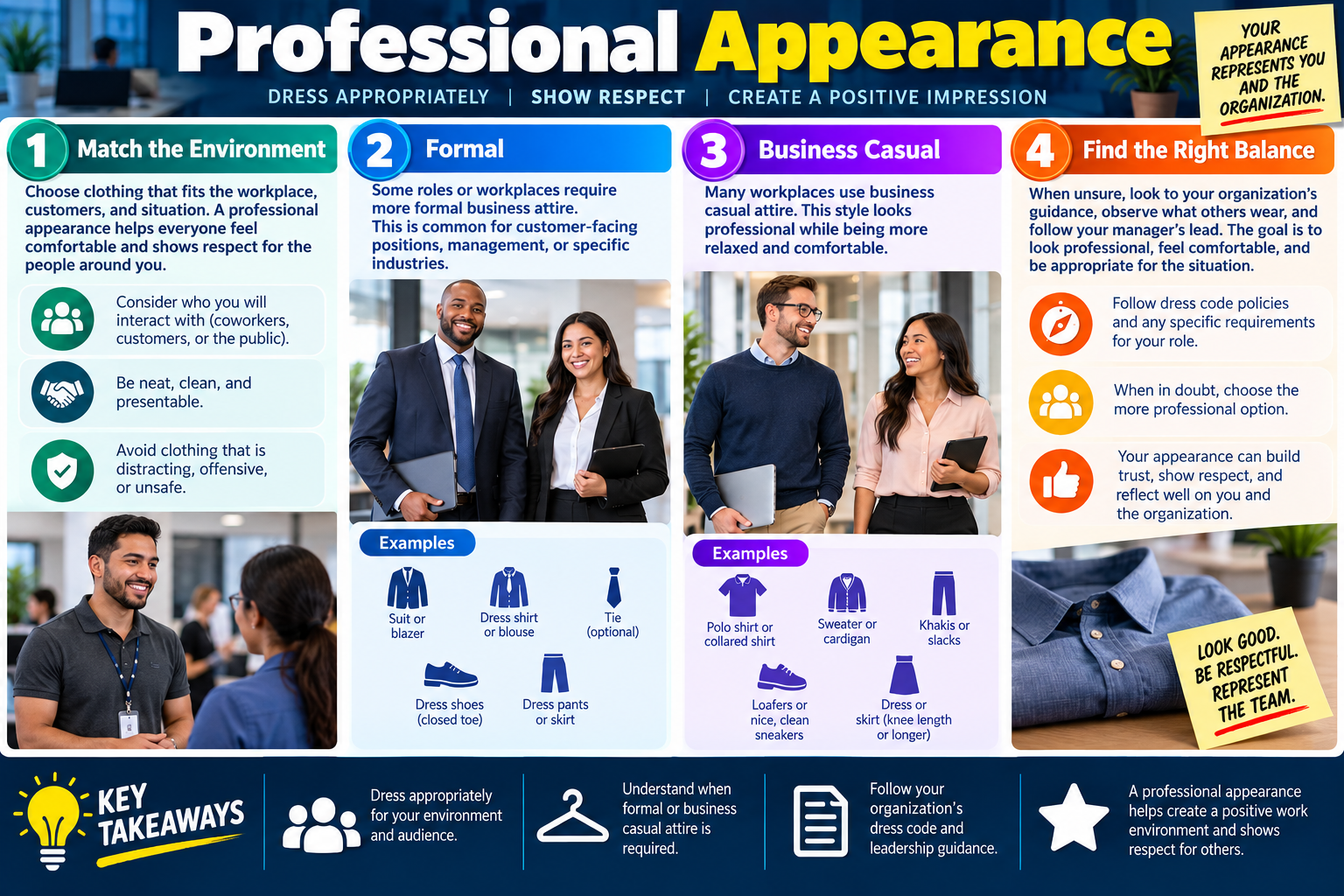
Professional Appearance infographic explaining how to match the environment, use formal attire, use business casual attire, find the right balance, and create a positive impression.
Professional appearance helps technicians show respect, build trust, and represent the organization well in every support interaction.
ATT
Module 02

Module 2 - Attitude is Everything

A technician's attitude shapes the entire support conversation. Clear language, a calm mindset, active listening, and cultural awareness help build trust, reduce frustration, and lead to better outcomes.

For Objective 4.7, attitude is not just about being cheerful. It is about communicating professionally under pressure. Users may be confused, stressed, embarrassed, angry, or worried about lost work. A technician who stays calm and respectful can turn a difficult interaction into a productive one. A technician who sounds impatient, dismissive, distracted, or overly technical can make even a simple issue feel worse.

Good communication is a technical skill because it helps the technician gather accurate information, set expectations, reduce misunderstandings, and keep the user engaged in the solution. A positive approach creates better conversations and better support results.

Communicate Clearly

Clear communication means using language the customer can understand. Most users do not need a detailed explanation of every protocol, log entry, command, or hardware component involved in the repair. They need to know what is happening, what it means for their work, what you need from them, and what will happen next.

The infographic emphasizes everyday language. This does not mean talking down to the user. It means matching your explanation to the audience. A network engineer may understand technical shorthand, but a front-desk employee, teacher, manager, or customer may need a simpler explanation. Clear communication respects the user's role and avoids making them feel excluded from their own support issue.

  1. Use plain language. Explain the issue in everyday terms whenever possible.
  2. Avoid unnecessary jargon. Acronyms, slang, and technical shorthand can confuse users when they are not needed.
  3. Tailor the message. Adjust detail based on the user's role, technical comfort, urgency, and business need.
  4. Confirm understanding. Ask whether the explanation makes sense and invite questions before moving on.

Bring a Positive Mindset

A positive mindset helps keep the support interaction solution-focused. This does not mean pretending every issue is easy or ignoring the user's frustration. It means staying calm, friendly, confident, and professional even when the situation is challenging.

Users often take emotional cues from the technician. If the technician sounds irritated, rushed, or unsure, the user may become more anxious. If the technician remains calm and confident, the user is more likely to cooperate, provide useful details, and trust the process. Confidence should be balanced with honesty. A professional technician can say, "I need to check that," without sounding lost or dismissive.

Stay calm A calm tone helps reduce tension when the user is upset or the issue is urgent.
Stay friendly Courtesy and patience help users feel respected during the support process.
Stay solution-focused Keep the conversation moving toward the next useful step instead of blame or frustration.
Show confidence Communicate that the issue can be worked through, even if more investigation is needed.

Listen with Purpose

Listening is one of the most important troubleshooting tools. Users often provide clues in the way they describe the problem: when it started, what changed, what they were trying to do, who else is affected, and what error messages appeared. Interrupting too soon can cause the technician to miss those clues.

Purposeful listening means giving the customer full attention, letting them finish, asking clarifying questions, and avoiding assumptions. Even if the technician thinks they already know the answer, it is usually better to let the user complete the explanation. The technician can then restate the issue in a clear summary before taking action.

  • Give full attention. Avoid distractions, side conversations, and multitasking that makes the user feel ignored.
  • Let the user finish. Do not interrupt just because the likely cause seems obvious.
  • Ask clarifying questions. Use questions to narrow the problem without blaming the user.
  • Restate the issue. Confirm your understanding before changing settings, replacing parts, or escalating.

Be Culturally Aware

Cultural awareness means respecting different backgrounds, perspectives, communication styles, names, titles, and expectations. A professional technician should treat everyone with fairness and respect, even when the user's communication style is different from their own.

In real support environments, technicians work with people from different departments, regions, languages, cultures, age groups, and technical backgrounds. Some users may prefer formal titles. Some may be direct; others may be more indirect. Some may need extra time to explain the issue. The technician should remain respectful and avoid assumptions.

Using appropriate professional titles and names is part of respect. If you are unsure how to address someone, use a polite option or ask. Avoid jokes, slang, or comments that could be misunderstood or make the user uncomfortable. Respect is not optional; it is part of professional service.

Better Conversations Create Better Outcomes

Attitude affects results. A clear, respectful technician gets better information from users, reduces repeat explanations, avoids unnecessary conflict, and makes users more willing to follow instructions. This can shorten troubleshooting time and improve customer satisfaction.

Great communication also protects the organization. A technician who communicates clearly and respectfully leaves users with confidence in the IT team. A technician who listens carefully is less likely to misdiagnose the issue. A technician who understands cultural differences is less likely to create avoidable conflict.

Exam Mindset

If a scenario describes an upset customer, confusing technical terms, interruptions, cultural differences, or unclear communication, choose the answer that listens first, uses plain language, asks clarifying questions, respects the user, and stays calm. Avoid answers that argue, interrupt, blame, use unnecessary jargon, or ignore cultural and communication differences.

Bottom line: Use clear, respectful language. Maintain a positive and professional attitude. Listen actively before responding. Be culturally sensitive and use appropriate titles and designations. A good attitude creates trust, stronger relationships, and better support outcomes.

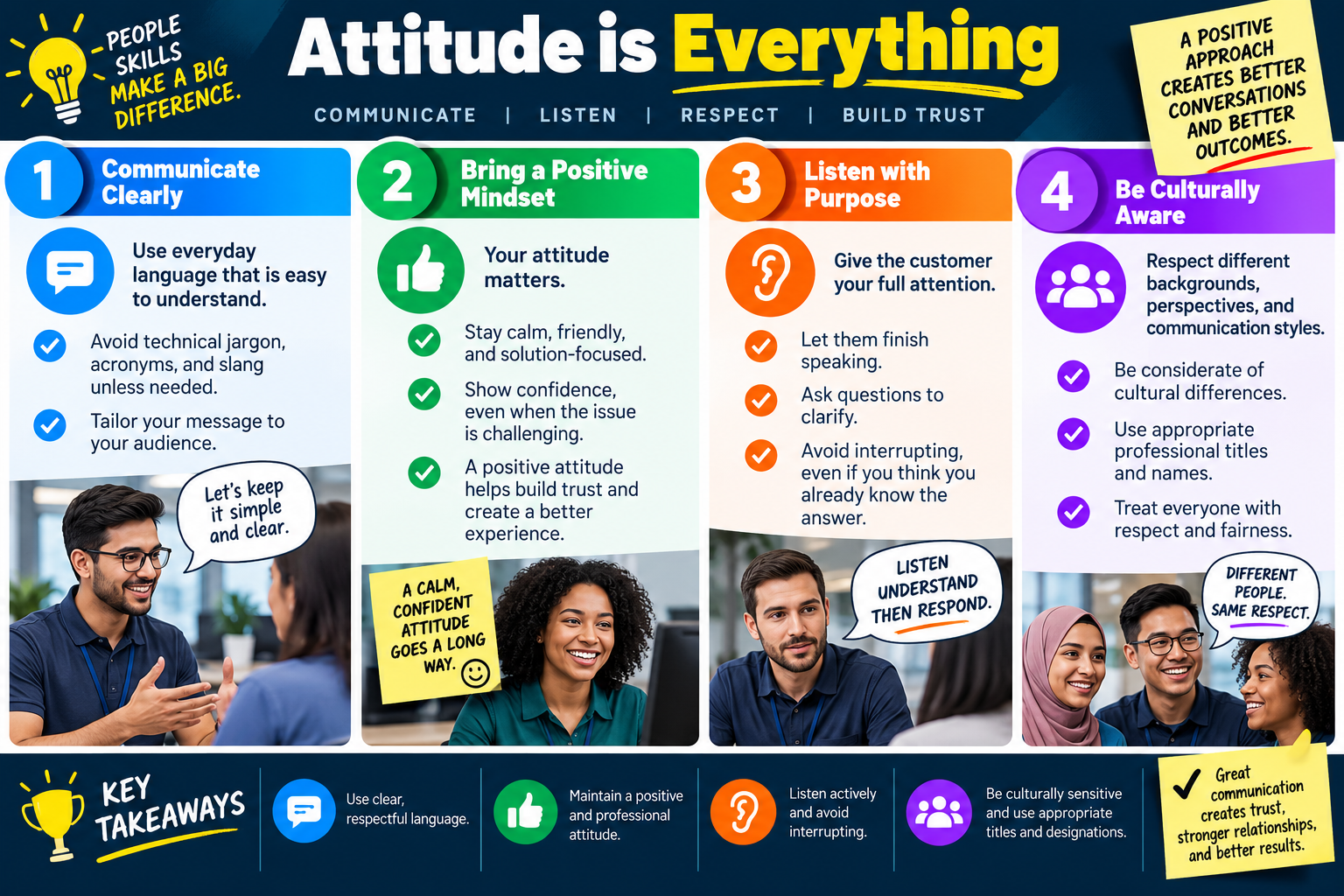
Attitude is Everything infographic explaining clear communication, positive mindset, purposeful listening, cultural awareness, and key takeaways for professional IT support.
A positive professional attitude helps technicians communicate clearly, listen actively, respect cultural differences, and build trust with users.
TIME
Module 03

Module 3 - Time is Money

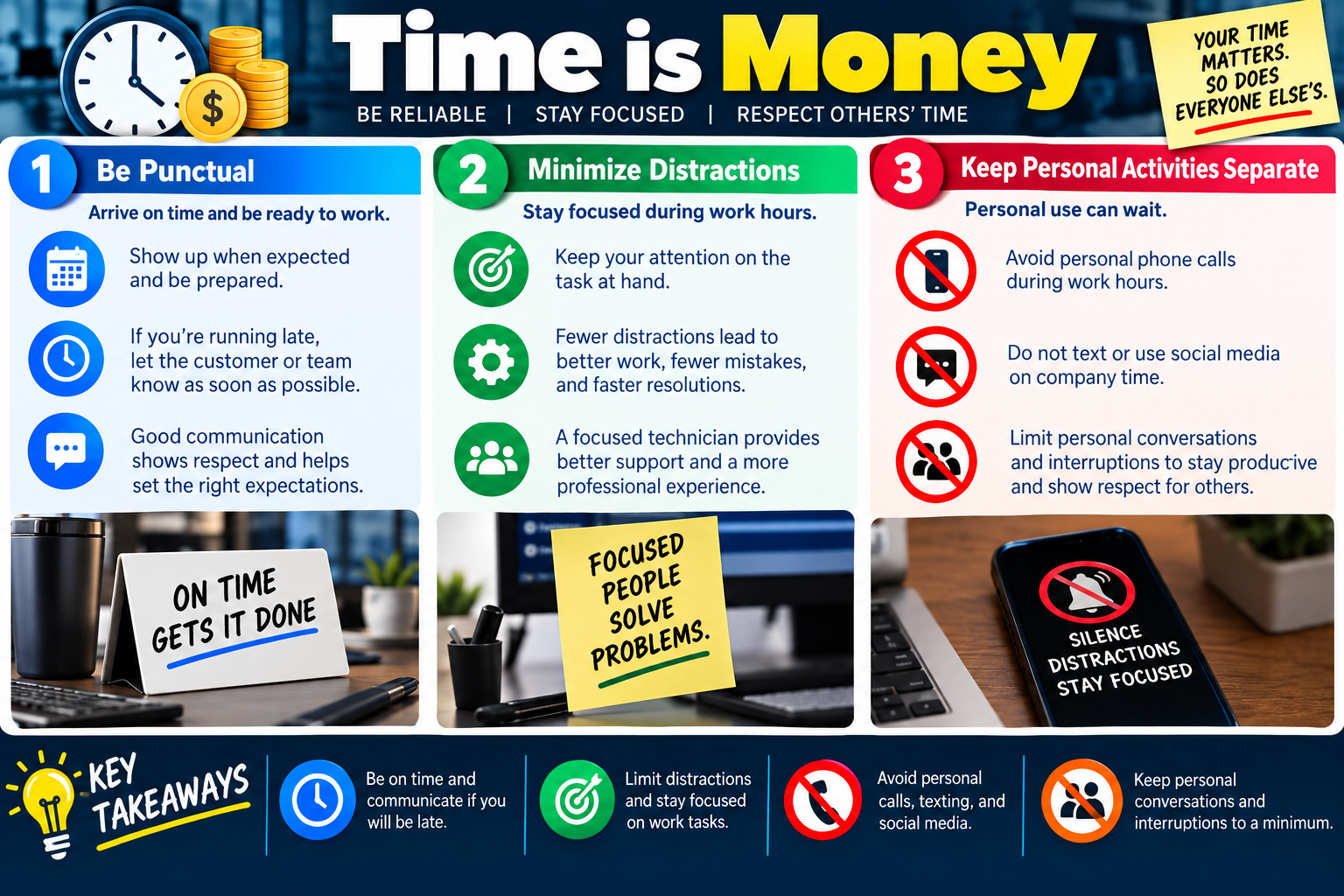
Time management is part of professionalism. Being punctual, staying focused, and keeping personal activities separate from work shows respect for customers, coworkers, the organization, and the support process.

For Objective 4.7, time is not just a scheduling issue. In IT support, time affects business productivity, customer trust, ticket flow, service level expectations, and team reliability. When a technician arrives late, gets distracted, or spends work time on personal activities, the impact spreads beyond one person. Users wait longer, teammates may have to cover extra work, and the organization may look unprepared.

A professional technician treats time as a shared resource. The customer’s time matters, the team’s time matters, and the technician’s time matters. Good time habits make support work smoother, reduce mistakes, and help users feel that their issue is being taken seriously.

Be Punctual

Punctuality means arriving on time and being ready to work. This includes showing up for appointments, meetings, scheduled maintenance windows, customer visits, remote sessions, and shift start times. Being on time communicates reliability before the technician says a word.

Sometimes delays happen. Traffic, prior tickets, emergency calls, access issues, or longer-than-expected repairs can affect a schedule. The professional response is to communicate as soon as possible. If the technician will be late, the customer or team should know early enough to adjust expectations. Silence makes lateness worse because the user is left guessing.

  1. Arrive when expected. Be ready to work at the scheduled time, not just walking in at the scheduled time.
  2. Prepare before the visit. Review the ticket, tools, access needs, location, and expected task before arriving.
  3. Communicate delays early. If you are running late, notify the customer, dispatcher, manager, or team as soon as possible.
  4. Set expectations. Clear updates help users plan around downtime, appointments, and work interruptions.

Minimize Distractions

Distractions reduce support quality. A distracted technician may miss important details, make incorrect assumptions, forget a step, skip documentation, or take longer to resolve the issue. Focused work leads to fewer mistakes and faster resolutions.

Minimizing distractions means keeping attention on the task at hand. During a support call, this includes listening to the user, watching for error messages, confirming changes before making them, and documenting the work accurately. During hands-on repair, it also means avoiding side conversations, multitasking beyond reason, and unnecessary interruptions.

Stay task-focused Keep attention on the current ticket, customer, device, or support session.
Reduce mistakes Fewer distractions mean fewer missed steps, incorrect settings, and repeated repairs.
Improve speed Focused troubleshooting usually reaches resolution faster than scattered multitasking.
Improve professionalism Users notice when a technician is attentive, organized, and fully present.

Keep Personal Activities Separate

Personal activities should not interfere with work. Personal phone calls, texting, social media, unrelated browsing, long casual conversations, and unnecessary interruptions can make the technician look unprofessional and reduce productivity. They can also send the message that the user’s issue is not important.

This does not mean technicians can never have breaks or personal responsibilities. It means personal activities should happen during appropriate break times or through approved workplace processes. During work time, especially while supporting a customer or working on a ticket, the technician should stay focused on the task.

  • Avoid personal phone calls during work tasks. Handle personal calls during breaks or according to workplace policy.
  • Do not text or use social media on company time. Personal device use should not interrupt customer support.
  • Limit personal conversations. Friendly workplace conversation is normal, but it should not delay service or distract from work.
  • Respect shared time. When one technician is distracted, users and coworkers may pay the cost.

Respect Others' Time

Respecting time means being efficient without being careless. A technician should avoid rushing so much that they skip troubleshooting steps, but they should also avoid wasting time through poor preparation, preventable distractions, or unclear communication. The balance is to work steadily, communicate clearly, and use the customer’s time wisely.

Good time habits also support teamwork. If one technician is late for a handoff, misses updates, or leaves tickets poorly documented, another technician may need to spend extra time recreating the context. Punctuality and focus help the entire support operation run better.

Practical Technician Habits

  1. Review the schedule. Know where you need to be and what work is expected.
  2. Batch distractions. Check non-urgent messages at appropriate times instead of constantly interrupting work.
  3. Use status updates. Let users and teammates know when timing changes.
  4. Close the loop. Finish documentation, update ticket status, and communicate next steps before moving on.

Exam Mindset

If a scenario mentions lateness, missed appointments, distractions, personal calls, texting, social media, side conversations, or users waiting for updates, choose the answer that respects time and communicates professionally. Avoid answers that ignore delays, continue personal activity, fail to notify the customer, or treat focus as optional.

Bottom line: Be on time and communicate if you will be late. Limit distractions and stay focused on work tasks. Avoid personal calls, texting, and social media during work time. Keep personal conversations and interruptions to a minimum so you respect everyone’s time.

Time is Money infographic explaining punctuality, minimizing distractions, separating personal activities from work, and key takeaways for professional IT support.
Good time habits show reliability, reduce mistakes, and help technicians respect customers, coworkers, and the organization.
CALM
Module 04

Module 4 - Dealing with Difficult People

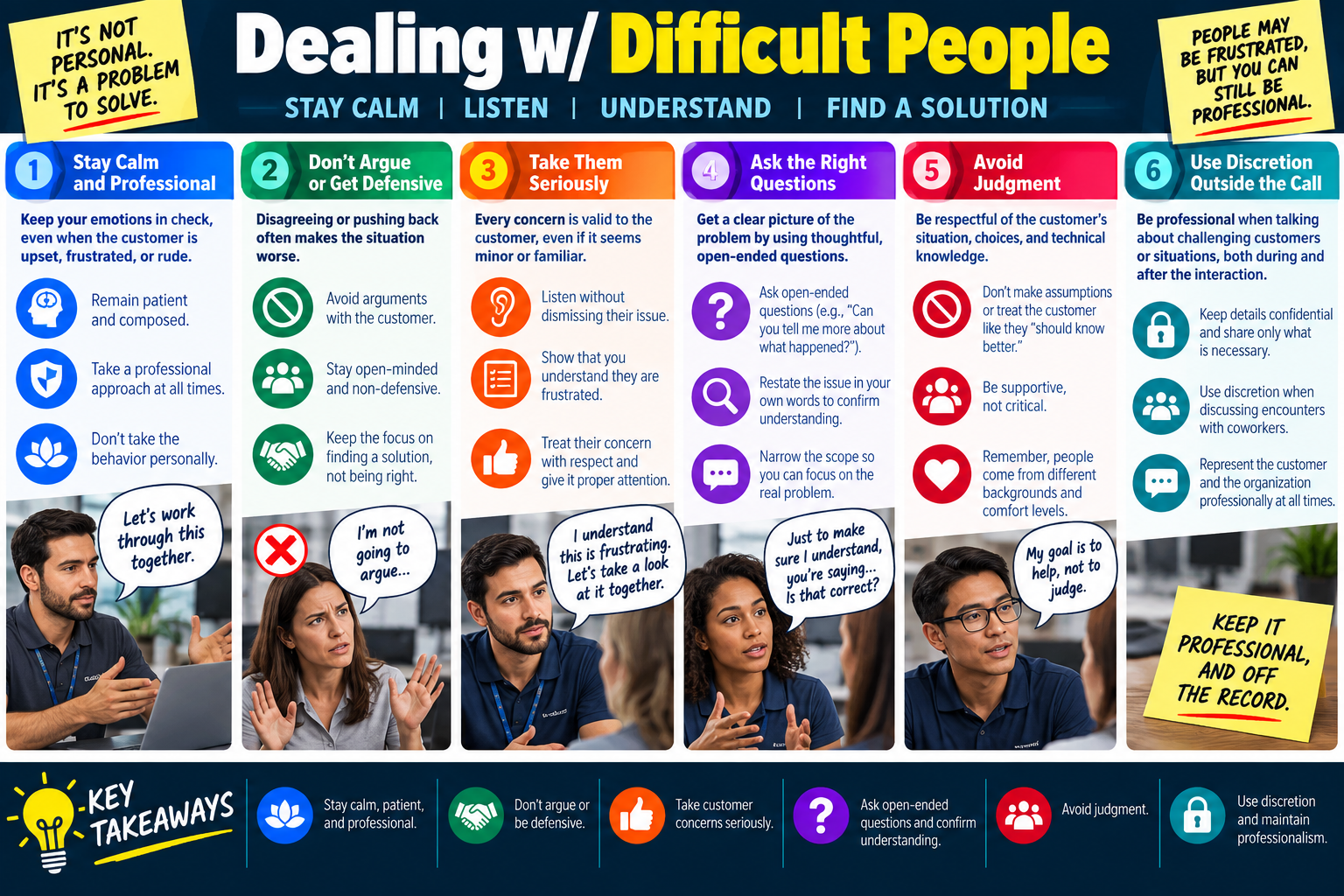
Difficult support interactions are not personal. They are problems to solve. A professional technician stays calm, listens carefully, avoids arguments, asks useful questions, and works toward a solution while maintaining discretion and respect.

For Objective 4.7, dealing with difficult people is one of the most important professionalism skills. Users may be upset because they lost work, missed a deadline, experienced repeated failures, had a bad previous support experience, or feel embarrassed that they need help. Their frustration may be real even when the technical problem seems small or familiar to the technician.

The technician's job is not to win an argument. The job is to understand the issue, lower tension, protect the relationship, and move the situation toward resolution. People may be frustrated, but the technician can still remain professional.

Stay Calm and Professional

The first step is emotional control. When a customer is upset, rude, impatient, or frustrated, the technician should remain patient and composed. A calm response helps prevent the situation from escalating. Matching the customer's frustration usually makes the problem harder to solve.

Staying calm does not mean accepting abuse or ignoring policy. It means keeping your own behavior professional while following the correct escalation path if the interaction becomes unsafe, abusive, discriminatory, threatening, or outside normal support boundaries. The technician can be firm and respectful at the same time.

  1. Keep emotions in check. Use a steady tone and avoid reacting defensively.
  2. Remain patient. Give the user time to explain the issue without rushing or dismissing them.
  3. Stay professional. Use respectful language even when the customer is upset.
  4. Do not take it personally. The frustration is usually about the situation, not about you.

Do Not Argue or Get Defensive

Arguing rarely improves a support interaction. Even if the technician is technically correct, pushing back too hard can make the customer feel ignored or embarrassed. Defensive language shifts the focus away from solving the issue and toward who is right.

A better approach is to stay open-minded and non-defensive. The technician can acknowledge the concern without agreeing to inaccurate statements. For example, instead of saying, "That is not possible," the technician might say, "I understand why that would be frustrating. Let me check what happened." This keeps the conversation moving toward facts and solutions.

Avoid arguments Do not turn the support call into a debate with the customer.
Stay open-minded Listen for useful details even if the customer's explanation is incomplete or emotional.
Stay non-defensive Avoid blaming the user, another technician, the company, or the equipment.
Focus on solutions Keep the conversation centered on what can be done next.

Take the Customer Seriously

Every concern is valid to the customer, even if the issue seems minor, common, or easy to fix. A technician who dismisses the concern can make the customer feel disrespected. A technician who takes the concern seriously builds trust and often gets better information.

Taking a customer seriously means listening without dismissing the issue, showing that you understand their frustration, and giving the problem proper attention. It also means avoiding phrases that sound minimizing, such as "It is just a simple fix," "You should have known," or "That is not a big deal." The technician may know the issue is common, but the customer may still be experiencing real disruption.

  • Listen without dismissing. Let the customer explain why the issue matters to them.
  • Acknowledge frustration. Show that you understand the impact before jumping into the fix.
  • Respect the concern. Treat the issue professionally, even if it is familiar to you.
  • Give proper attention. Avoid sounding distracted, rushed, or annoyed.

Ask the Right Questions

Good questions help turn emotion into useful troubleshooting information. Open-ended questions are especially helpful because they invite the customer to explain what happened in their own words. For example, "Can you tell me more about what happened?" often produces better information than a yes-or-no question.

After listening, the technician should restate the issue in their own words to confirm understanding. This shows the customer that they were heard and gives them a chance to correct missing details. Then the technician can narrow the scope by asking about timing, error messages, affected users, recent changes, device behavior, and what the customer was trying to do.

  1. Use open-ended questions. Ask the customer to describe what happened and what they were doing.
  2. Restate the issue. Confirm your understanding before taking action.
  3. Narrow the scope. Identify affected devices, users, applications, timing, and symptoms.
  4. Clarify next steps. Explain what you will check first and what the customer can expect.

Avoid Judgment

Professional technicians avoid judgment. Customers have different backgrounds, skill levels, comfort levels, communication styles, and technical experience. A problem that seems obvious to one person may be confusing to another. Judging the customer can damage trust and discourage them from reporting future issues.

Avoid assumptions such as "they should know better" or "this is user error." The phrase user error may describe a cause in a technical sense, but it is not usually helpful in customer-facing communication. A supportive approach focuses on the system, the task, and the next step instead of criticizing the person.

Supportive communication might sound like: "Let's walk through it together," "That setting can be easy to miss," or "I can show you the steps once we get it working." This keeps the customer engaged without blame.

Use Discretion Outside the Call

Professionalism continues after the interaction ends. A technician should not mock, gossip about, or share unnecessary details about challenging customers. Support conversations may involve personal frustration, mistakes, sensitive business information, confidential data, or private user circumstances. Details should be shared only with people who need them for support, escalation, documentation, or policy reasons.

Discretion protects both the customer and the organization. Even when a customer was difficult, the technician should represent them professionally in tickets, handoffs, team discussions, and follow-up conversations. The goal is to solve the problem, not create a story about the customer.

Keep details confidential Share only what is necessary for support, escalation, or documentation.
Use discretion with coworkers Do not gossip about difficult encounters or turn the customer into a joke.
Stay professional afterward Represent the customer and organization respectfully after the call ends.
Document objectively Use factual notes, not emotional language or personal criticism.

Exam Mindset

If a scenario describes an angry, rude, frustrated, confused, or difficult customer, choose the answer that stays calm, listens, avoids arguing, asks clarifying open-ended questions, avoids judgment, and uses discretion. Avoid answers that blame the customer, become defensive, share unnecessary details, or prioritize being right over solving the issue.

Bottom line: Stay calm, patient, and professional. Do not argue or get defensive. Take customer concerns seriously. Ask open-ended questions and confirm understanding. Avoid judgment, use discretion, and keep the focus on solving the problem.

Dealing with Difficult People infographic explaining staying calm, avoiding arguments, taking concerns seriously, asking open-ended questions, avoiding judgment, and using discretion.
Difficult support interactions require calm professionalism, active listening, thoughtful questions, discretion, and a steady focus on resolution.
PLAN
Module 05

Module 5 - Expectations

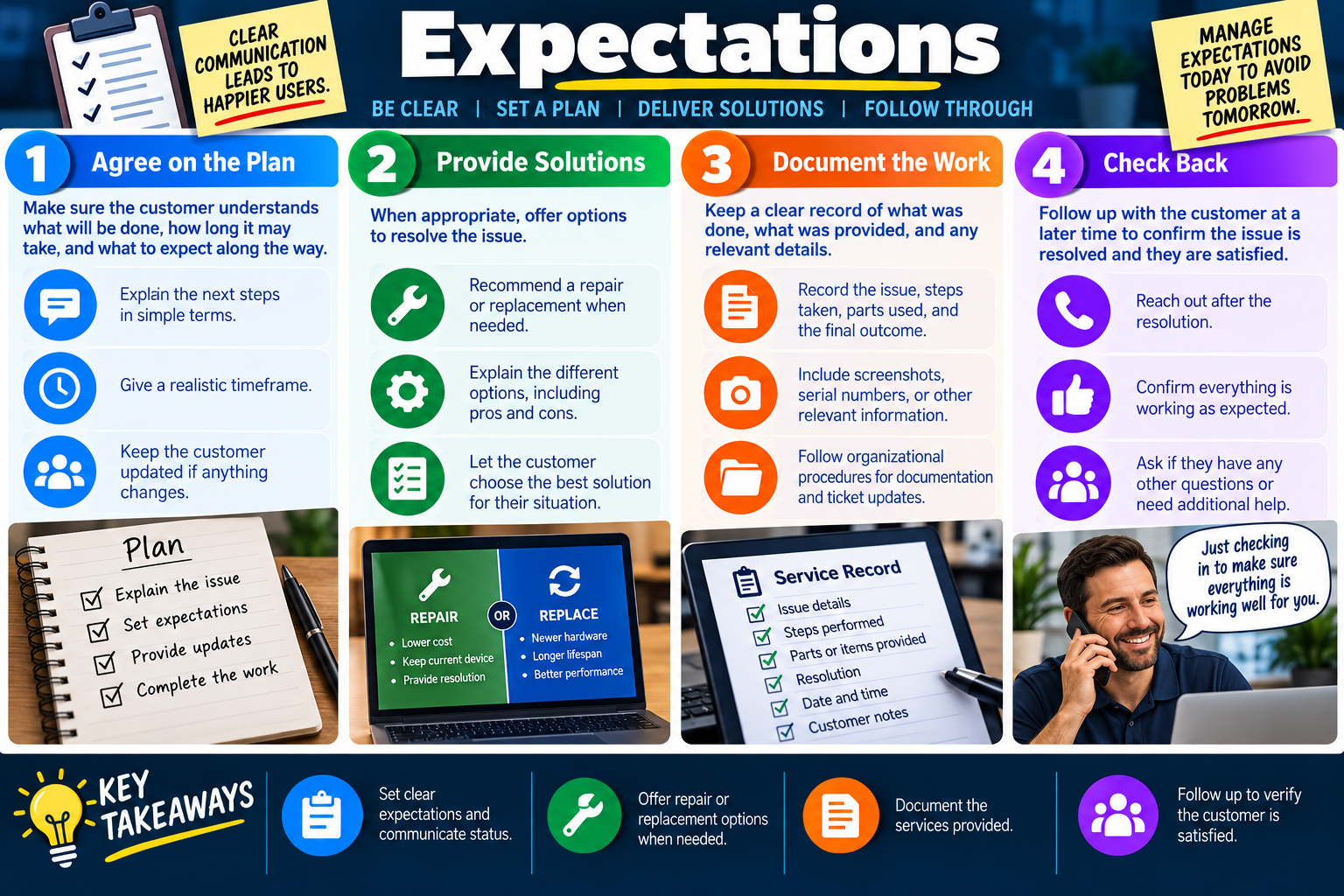
Managing expectations means making sure the customer understands the plan, the timeline, the available options, the work performed, and the follow-up process. Clear expectations prevent confusion today and avoid problems tomorrow.

For Objective 4.7, expectations are a major part of professional communication. A technician may know what needs to happen, but the customer may not. If the technician does not explain the next steps, realistic timing, possible options, and expected outcome, the user may feel ignored or surprised even when the technical work is correct.

Clear communication leads to happier users because it reduces uncertainty. Customers want to know what will be done, how long it might take, whether they can keep working, what choices they have, and how they will know the issue is resolved. A professional technician answers those questions before they become frustrations.

Agree on the Plan

Before work begins, the technician should make sure the customer understands the plan. This includes explaining the issue in simple terms, describing the next steps, giving a realistic timeframe, and explaining what the customer can expect along the way. The goal is not to promise perfection. The goal is to create a shared understanding.

A good plan helps prevent misunderstandings. For example, if a repair may take two hours, if the device must be restarted, if parts may need to be ordered, or if data may need to be backed up first, the customer should know before the work begins. Surprises create frustration. Clear expectations create cooperation.

  1. Explain the next steps. Use simple language to describe what you will check or do first.
  2. Give a realistic timeframe. Avoid promising a faster resolution than you can reasonably deliver.
  3. Communicate changes. If the plan or timeline changes, update the customer as soon as possible.
  4. Confirm agreement. Make sure the customer understands and agrees with the next step when their input is needed.

Provide Solutions

When appropriate, technicians should offer solutions and explain the available options. Some issues have one obvious fix, but many support situations involve choices. A device may be repaired or replaced. A user may need a workaround while waiting for parts. A software issue may have a quick temporary fix and a more complete long-term solution.

Providing solutions does not mean overwhelming the customer with every technical possibility. It means presenting realistic options in a way the customer can understand. The technician should explain the basic pros and cons, such as cost, downtime, reliability, performance, warranty status, data risk, or time to resolution.

Recommend repair when appropriate Repair may be lower cost, keep the current device, and provide a faster resolution.
Recommend replacement when appropriate Replacement may provide newer hardware, longer lifespan, and better performance.
Explain pros and cons Help the customer understand tradeoffs without burying them in technical detail.
Support the customer's situation Let the best solution match business need, budget, timeline, and risk.

Document the Work

Documentation creates a clear record of what happened. A support interaction should not rely on memory. The ticket or service record should show the original issue, troubleshooting steps, parts or items provided, configuration changes, screenshots when appropriate, serial numbers when needed, date and time, customer notes, and the final outcome.

Good documentation helps the next technician, protects the organization, supports warranty claims, helps identify recurring issues, and gives the customer confidence that the work was completed properly. Documentation should be clear, factual, and professional. It should not include unnecessary personal opinions or judgmental language.

  • Record the issue. Describe the problem reported and any symptoms observed.
  • Record the steps taken. Note troubleshooting, repairs, replacements, settings changed, and tests performed.
  • Record parts and details. Include parts used, serial numbers, screenshots, asset tags, or other relevant information.
  • Record the outcome. State what resolved the issue, what remains open, and any follow-up needed.

Check Back

Follow-up is part of closing the support loop. After the resolution, the technician should check back when appropriate to confirm the issue is resolved and the customer is satisfied. This is especially important for intermittent issues, major repairs, replacements, escalated tickets, or problems that affected productivity.

Checking back shows the customer that the technician cares about the result, not just the ticket closure. It also helps catch lingering problems early. A quick follow-up may reveal that the issue returned, that the customer has another question, or that the fix worked exactly as expected.

  1. Reach out after resolution. Follow up through the approved channel when the situation calls for it.
  2. Confirm everything works. Ask the customer to verify the system is working as expected.
  3. Ask about remaining questions. Give the customer a chance to mention unresolved concerns.
  4. Update the ticket. Document the follow-up result and any additional action needed.

Why Expectations Prevent Problems

Many support conflicts come from mismatched expectations rather than poor technical work. A customer may be frustrated because they expected a same-day repair, but parts had to be ordered. A user may be unhappy because they did not know a restart would interrupt work. A manager may question a ticket because the documentation does not explain what was provided.

Managing expectations prevents these issues by making the plan visible. It also gives the customer a role in the process. When users understand the plan, options, and timeline, they are more likely to cooperate and less likely to be surprised by normal support steps.

Technician Workflow

  1. State the plan. Explain what you will do and why.
  2. Set the timeframe. Give an honest estimate and update it if conditions change.
  3. Offer options. When appropriate, explain repair, replacement, workaround, escalation, or follow-up choices.
  4. Document clearly. Record the issue, steps, parts, screenshots, serial numbers, outcome, and customer notes.
  5. Follow through. Confirm the result and check whether additional help is needed.

Exam Mindset

If a scenario mentions unclear timelines, customer confusion, repair versus replacement options, missing ticket details, undocumented work, or a need to confirm satisfaction, choose the answer that sets expectations, communicates status, documents the service, and follows up. Avoid answers that promise unrealistic timelines, skip documentation, close tickets without verification, or leave the customer unsure about next steps.

Bottom line: Agree on the plan, provide realistic solutions, document the work, and check back after resolution. Clear expectations help users feel informed, reduce surprises, and create a more professional support experience.

Expectations infographic explaining agreeing on the plan, providing repair or replacement solutions, documenting the work, checking back, and key takeaways.
Managing expectations helps technicians communicate the plan, offer realistic options, document service, and follow through with the customer.
LOCK
Module 06

Module 6 - Confidentiality

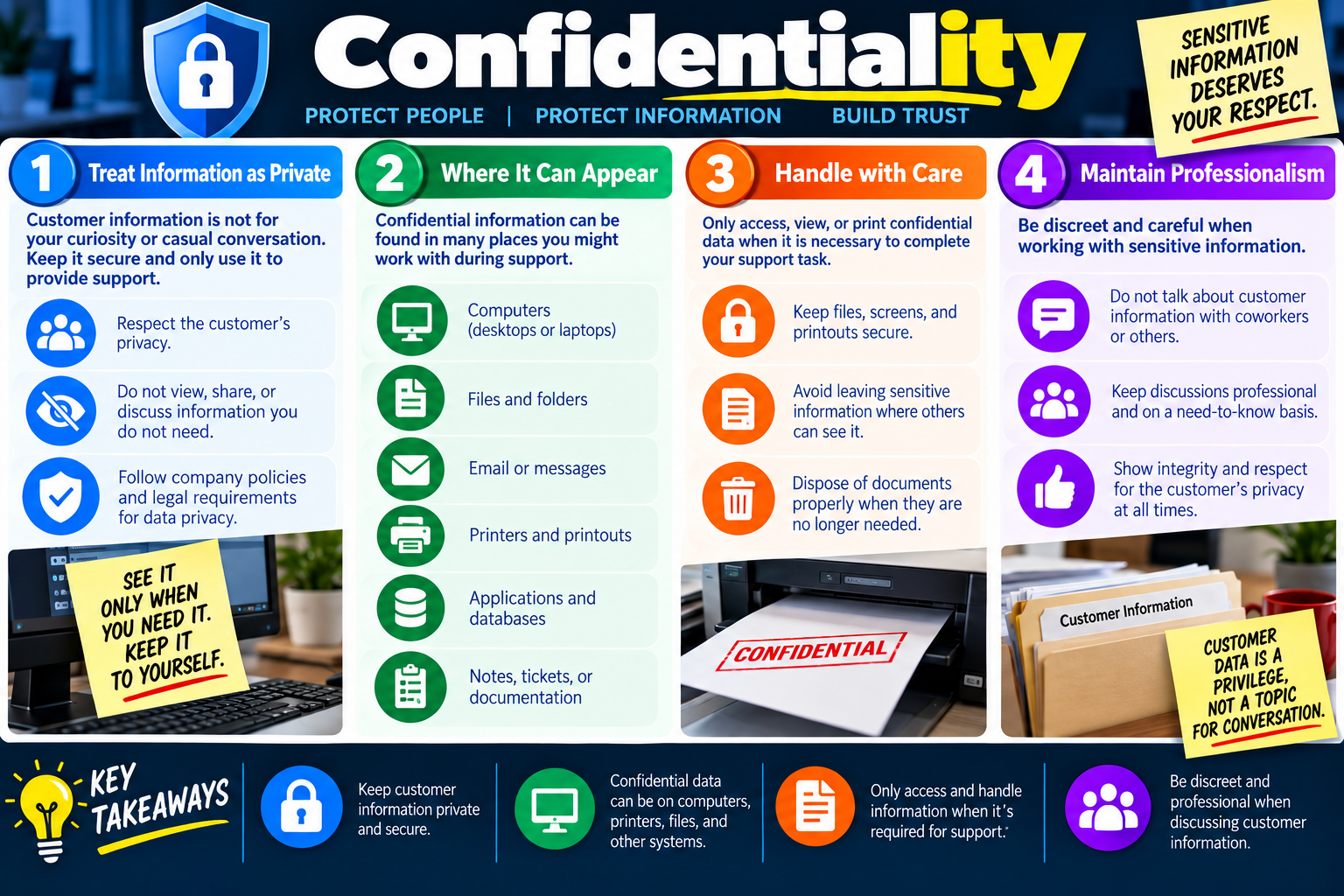
Confidentiality means protecting customer and organizational information from unnecessary access, exposure, discussion, or disclosure. Sensitive information deserves respect because protecting information protects people, relationships, and trust.

For Objective 4.7, confidentiality is a professionalism skill as much as a security skill. Technicians often see information that was never meant for them: open documents, emails, printouts, tickets, customer records, financial details, health information, passwords written down, internal notes, or private messages. The professional response is not curiosity. The professional response is restraint.

A technician should access only what is necessary to complete the support task, keep information secure while working, and avoid discussing customer information casually. Users trust IT staff with access to devices, accounts, files, printers, applications, and systems. That access must be handled carefully.

Treat Information as Private

Customer information is not a topic for casual conversation. Even if the technician sees something by accident, they should not view more than needed, share the detail with coworkers, or discuss it outside the support need. Privacy applies to customers, coworkers, managers, students, patients, clients, and anyone else whose information appears during support.

Treating information as private means respecting the customer’s privacy, following company policies, and following legal requirements for data privacy. It also means using information only to provide support. If the information is not needed to complete the task, the technician should avoid looking at it.

  1. Respect customer privacy. Treat user data as private, even when you have technical access to it.
  2. Do not browse unnecessarily. Avoid opening, viewing, or exploring files that are not relevant to the support task.
  3. Do not share casually. Do not talk about customer information with coworkers or others who do not need to know.
  4. Follow policy and law. Use company procedures and applicable privacy requirements when handling sensitive data.

Where Confidential Information Can Appear

Confidential information can appear in many places. A technician may see it on a desktop, laptop, shared folder, email message, chat window, database, business application, printer tray, ticket note, screenshot, or printed document. The fact that information is visible does not mean it is acceptable to read, copy, or discuss it.

Support work often requires access to systems that contain sensitive information. A technician might troubleshoot an email problem and see private messages, repair a printer and see confidential printouts, update an application connected to customer records, or review a ticket that contains personal information. Each situation requires care.

Computers Desktops and laptops may display documents, browser tabs, local files, downloads, or saved credentials.
Files and folders Shared drives, user folders, and cloud storage may contain private or business-sensitive data.
Email and messages Inbox previews, chat threads, and notifications may expose confidential conversations.
Printers and printouts Printed pages may contain customer records, financial details, HR information, or internal notes.
Applications and databases Business systems may contain customer, employee, medical, financial, or operational data.
Notes and tickets Support documentation may include screenshots, serial numbers, customer notes, or sensitive details.

Handle with Care

Handling information with care means accessing, viewing, printing, saving, or moving confidential data only when it is necessary to complete the support task. If the technician does not need the information, they should not access it. If they must access it, they should limit exposure and keep it secure.

Careful handling includes keeping files, screens, and printouts secure. A technician should not leave sensitive documents visible on a desk, abandon printouts in a printer tray, leave a screen unlocked with customer data visible, or store screenshots in an unsecured location. When documents are no longer needed, they should be disposed of using approved procedures.

  • Access only when necessary. Use the minimum information needed to complete the support task.
  • Secure screens and files. Avoid leaving sensitive information visible where others can see it.
  • Protect printouts. Retrieve confidential pages promptly and keep them from public view.
  • Dispose properly. Shred, secure, delete, or dispose of documents according to organizational procedures.

Maintain Professionalism

Confidentiality continues after the task ends. A technician should be discreet when discussing challenging customers, sensitive situations, or private information. Even if the technician needs to escalate, the discussion should stay professional and limited to what the next person needs to know.

Professionalism means not gossiping, joking, or speculating about customer data. It also means documenting objectively. Ticket notes should include facts needed for support, not unnecessary personal details or comments about the user. The technician represents both the customer and the organization, so discretion matters.

  1. Keep discussions professional. Discuss sensitive information only with authorized people and only for legitimate support reasons.
  2. Use need-to-know sharing. Share only the details required to resolve, escalate, document, or comply with policy.
  3. Show integrity. Protect privacy even when no one is watching.
  4. Represent the organization well. Treat customer data as a privilege, not a conversation topic.

Confidentiality in Everyday Support

Confidentiality is not limited to obvious secrets. A technician should be careful with anything that identifies a customer, reveals business activity, exposes internal processes, shows financial or health data, or could embarrass or harm someone if shared. Even routine support tasks can create privacy risk.

Examples include seeing payroll files while fixing a laptop, noticing private emails while troubleshooting Outlook, finding personal photos while backing up a profile, discovering printed HR forms while repairing a printer, or seeing customer records while updating a business application. In each case, the correct response is to stay focused on the task, limit exposure, and follow policy.

Exam Mindset

If a scenario mentions private files, customer data, printouts, emails, screenshots, tickets, databases, or sensitive information visible during support, choose the answer that protects confidentiality. Avoid answers that browse out of curiosity, share details casually, leave information exposed, or discuss customer information with people who do not need to know.

Bottom line: Keep customer information private and secure. Confidential data can appear on computers, printers, files, applications, messages, tickets, and documentation. Only access and handle information when required for support, and remain discreet and professional when discussing customer information.

Confidentiality infographic explaining treating information as private, where confidential information can appear, handling sensitive information with care, and maintaining professionalism.
Confidentiality protects people, protects information, and builds trust during every support interaction.
KEY
Module 07

Module 7 - Key Takeaways

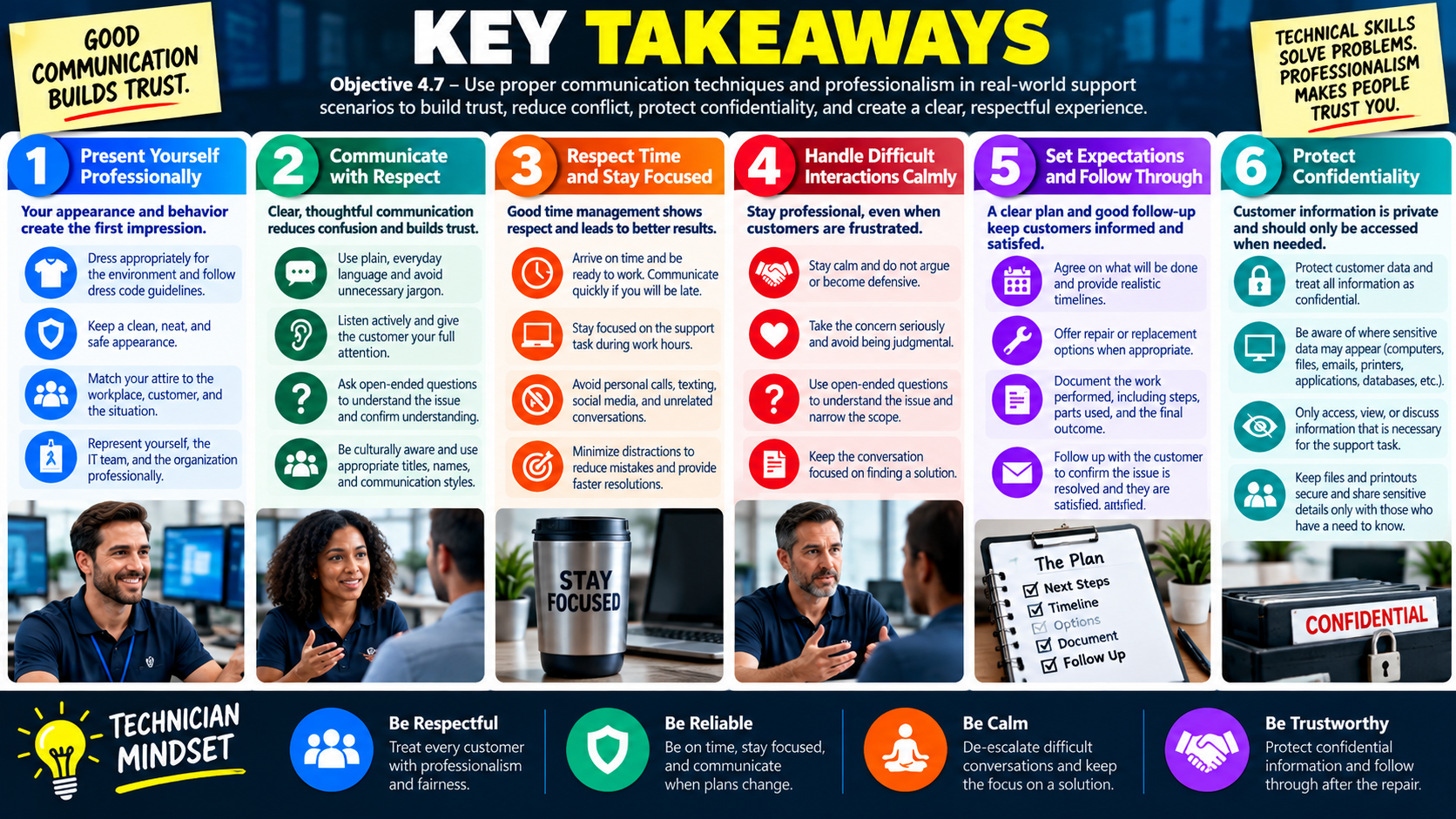
Key Takeaways infographic for Objective 4.7 summarizing professional appearance, respectful communication, time management, difficult interactions, expectations, confidentiality, and technician mindset.
Objective 4.7 key takeaways summarize how professionalism, communication, time respect, expectation management, and confidentiality build trust in support scenarios.

Objective 4.7 is about professional communication in real support scenarios. A technician must look appropriate, speak clearly, listen carefully, respect time, manage expectations, protect confidentiality, and stay calm when interactions become difficult.

Technical skill solves the device problem. Professionalism protects the customer relationship while the technical work is happening. Users remember whether the technician arrived prepared, explained the plan, listened without interrupting, respected privacy, and followed through after the fix. Good communication makes support easier, safer, and more trustworthy.

Think of Objective 4.7 as the human side of IT operations. The best answer in a scenario usually lowers confusion, shows respect, protects private information, communicates next steps, and keeps the interaction focused on a professional resolution.

Present Yourself Professionally

Professional appearance creates the first impression. Dress and presentation should match the workplace, the customer, and the situation. Some environments require formal business attire, while others use business casual or role-specific clothing. The goal is to look clean, respectful, safe, and appropriate for the work being performed.

Match the environment Choose clothing that fits the workplace, customer expectations, safety needs, and support task.
Follow policy Use the organization's dress code and role-specific guidance instead of guessing.
Choose professionalism When unsure, select the option that is cleaner, safer, and more professional.
Represent the team Your appearance reflects on you, IT support, and the organization.

Communicate with Respect

Clear communication reduces confusion. Use everyday language, avoid unnecessary jargon, and tailor the message to the user's technical comfort level. A positive mindset helps the conversation stay solution-focused even when the issue is frustrating.

Active listening is part of troubleshooting. Let the user finish, ask clarifying questions, and restate the issue before taking action. Be culturally aware by respecting different backgrounds, communication styles, titles, names, and comfort levels.

  1. Use plain language. Explain what is happening without burying the user in acronyms or slang.
  2. Listen first. Give the customer full attention and avoid interrupting.
  3. Ask useful questions. Use open-ended questions to understand what happened and narrow the scope.
  4. Respect differences. Treat every customer fairly and use appropriate titles, names, and designations.

Respect Time and Focus

Time management is professionalism. Arrive on time, be ready to work, and communicate quickly if you will be late. During work hours, stay focused on the support task and avoid personal phone calls, texting, social media, and unnecessary side conversations.

Distractions can cause mistakes, missed details, poor documentation, and slower resolutions. Focused technicians solve problems more effectively and create a better customer experience.

Handle Difficult Interactions Calmly

Difficult customers may be frustrated, but the technician can still remain professional. Do not argue, become defensive, blame the user, or treat the issue as unimportant. Stay calm, take the concern seriously, ask the right questions, and keep the conversation focused on a solution.

Discretion matters after the interaction too. Do not gossip about difficult customers or share unnecessary details with coworkers. Document facts professionally and share only what is needed for support or escalation.

Set Expectations and Follow Through

Customers need to know the plan. Explain next steps, give realistic timeframes, provide repair or replacement options when appropriate, and communicate changes quickly. Document the work so the record shows the issue, steps taken, parts used, screenshots or serial numbers when needed, and the final outcome.

Follow-up closes the loop. After the resolution, check back when appropriate to confirm that everything is working and the customer is satisfied.

Protect Confidentiality

Customer information is private. During support, confidential data may appear on computers, files, folders, emails, messages, printers, applications, databases, notes, tickets, or documentation. Access only what is needed for the task, keep files and printouts secure, and discuss sensitive details only with people who have a need to know.

See it only when needed Do not browse, open, or discuss information that is not required for support.
Keep it secure Protect screens, files, printouts, screenshots, and documentation from unnecessary exposure.
Share carefully Use need-to-know communication when escalating or documenting sensitive issues.
Stay professional Customer data is a privilege, not a topic for casual conversation.

Common Exam Traps

  • Using technical jargon when the user needs a simple explanation.
  • Interrupting the customer because the issue seems obvious.
  • Ignoring lateness instead of notifying the customer or team.
  • Taking customer frustration personally or arguing with the user.
  • Promising an unrealistic repair timeline to make the customer feel better.
  • Closing a ticket without documenting the work or verifying satisfaction.
  • Discussing private customer information with coworkers who do not need to know.
  • Leaving confidential printouts, files, or screens visible after the support task.

Technician Mindset

Be respectful Use clear language, listen actively, and treat every customer with fairness.
Be reliable Be on time, stay focused, and communicate when plans change.
Be calm De-escalate difficult conversations and keep attention on the solution.
Be trustworthy Protect confidential information and follow through after the repair.

Bottom line: 4.7 is about professional support behavior. Dress appropriately, communicate clearly, listen carefully, respect time, handle difficult people calmly, set expectations, document work, follow up, and protect customer confidentiality.

SN
Module 08

Module 8 - Section Notes

BROtocol Joe Core 2 220-1202Objective 4.7

4.7 Proper Communication Techniques and Professionalism

Core idea: Objective 4.7 is about using professional communication and behavior in support scenarios so customers feel respected, informed, and confident in the support process.

Professional Appearance

  • Match your appearance to the workplace, customer, and situation.
  • Follow dress code policies and role-specific requirements.
  • Understand when formal or business casual attire is appropriate.
  • Stay neat, clean, safe, and presentable because your appearance represents the IT team and organization.

Clear Communication

  • Use everyday language that the customer can understand.
  • Avoid unnecessary jargon, acronyms, slang, or overly technical explanations.
  • Tailor the message to the user’s role, technical comfort level, and business need.
  • Confirm understanding before moving to the next step.

Positive Attitude

  • Stay calm, friendly, confident, and solution-focused.
  • Do not let frustration, urgency, or confusion change your professional tone.
  • A positive mindset helps build trust and encourages cooperation.
  • Confidence should be honest: it is acceptable to say you need to check something.

Active Listening

  • Give the customer your full attention and avoid distractions.
  • Let the customer finish explaining the issue before responding.
  • Ask clarifying questions to narrow the issue.
  • Restate the problem in your own words to confirm understanding.
Memory hook: Professionalism starts before the repair: appearance, tone, plain language, and listening all affect customer trust.
Notes:
Time, Difficult Interactions, and ExpectationsObjective 4.7

Respect the Customer and the Process

Time Management

  • Be punctual and ready to work when expected.
  • If you will be late, notify the customer, dispatcher, manager, or team as soon as possible.
  • Stay focused on the support task during work hours.
  • Avoid personal phone calls, texting, social media, and unrelated conversations while working.

Difficult Customers

  • Stay calm and professional when a customer is upset, frustrated, or rude.
  • Do not argue, get defensive, blame the user, or take the behavior personally.
  • Take the concern seriously, even if the issue seems minor or familiar.
  • Use open-ended questions and restate the issue to confirm understanding.

Avoid Judgment

  • Customers have different backgrounds, skill levels, and comfort levels with technology.
  • Avoid phrases that make the customer feel blamed or embarrassed.
  • Be supportive, not critical.
  • Keep the conversation focused on solving the issue instead of proving who is right.

Set Expectations

  • Explain the support plan and next steps in simple terms.
  • Give realistic timeframes and communicate changes quickly.
  • Offer repair, replacement, workaround, or escalation options when appropriate.
  • Follow up after resolution when needed to confirm the issue is resolved.
Memory hook: Difficult interactions usually need calm listening, clarifying questions, realistic expectations, and a focus on resolution.
Notes:
Documentation, Confidentiality, and Exam TrapsObjective 4.7

Finish Professionally

Document the Work

  • Record the issue, symptoms, steps taken, and final outcome.
  • Include parts used, serial numbers, screenshots, asset tags, customer notes, and date/time when relevant.
  • Keep documentation factual and professional.
  • Good documentation supports handoffs, warranty claims, recurring issue analysis, and customer follow-up.

Confidentiality

  • Treat customer information as private and secure.
  • Confidential data can appear on computers, files, email, messages, printers, applications, databases, notes, and tickets.
  • Access only what is necessary to complete the support task.
  • Keep files, screens, printouts, screenshots, and documentation secure.

Discretion

  • Do not talk about customer information with coworkers or others who do not need to know.
  • Do not gossip about difficult customers or sensitive situations.
  • Share only what is required for support, escalation, documentation, or policy compliance.
  • Protect privacy even when no one is watching.

Common Exam Traps

  • Using technical jargon instead of plain language.
  • Interrupting the customer or assuming the answer too early.
  • Ignoring delays instead of notifying the customer.
  • Closing a ticket without documentation or customer verification.
  • Discussing confidential information outside a need-to-know context.
Memory hook: Finish the interaction the same way you started it: respectfully, clearly, documented, and with customer information protected.
Notes:
TEST
Module 09

Module 9 - Final Test

Complete 20 difficult scenario-based multiple-choice questions for Objective 4.7. The test covers professional appearance, formal and business casual attire, clear communication, positive attitude, active listening, cultural awareness, punctuality, minimizing distractions, handling difficult customers, avoiding judgment, setting expectations, providing solutions, documentation, follow-up, confidentiality, discretion, and technician decision-making. Each correct answer is worth 1 point.

Score pending0 / 20
WB
Workbook

Student Workbook

BrotocolJoeStudent Workbook

BrotocolJoe

CompTIA A+ Core 2 (220-1202)

Student Workbook

4.0 Operational Procedures

Objective 4.7 - Given a scenario, use proper communication techniques and professionalism.

How to use this workbook: Print this packet once, complete it by hand as you finish each online module, and keep it as evidence that you read, processed, and practiced the Objective 4.7 communication and professionalism material.
Student Name:
Professional AppearanceObjective 4.7

Module 1 - Professional Appearance

Key Information: Professional presentation should suit the workplace, task, and customer setting. Check organizational expectations and site requirements rather than making assumptions based on someone’s background or appearance.

Check Your Understanding

Why might appropriate attire differ between an office visit and equipment-room work?

Which site expectations should be confirmed before a customer visit?

How can identification and an organized arrival help establish trust?

Visit Preparation Record

  • Use a support visit to an unfamiliar customer site. Write one or two sentences per field.
  • Setting: Identify dress, access, and task-specific requirements to confirm.
  • Preparation: Describe the identification, materials, and equipment to bring.
  • Introduction: Write a brief introduction that states your role and confirms the purpose of the visit.
Explain how to respect individual differences while following the organization’s presentation and safety requirements.
Technician Scenario: A technician has an office appointment followed by equipment-room work at another site. Plan how to confirm expectations and prepare for both settings without assuming one style of dress fits every task.
Attitude is EverythingObjective 4.7

Module 2 - Attitude is Everything

Key Information: Effective support combines respectful language, active listening, and honest problem-solving. Ask clarifying questions, restate what you heard, and adapt explanations to the user’s knowledge and communication preferences.

Check Your Understanding

How does restating the problem help prevent a mistaken diagnosis?

Why should unfamiliar technical terms be explained?

How can you check understanding without sounding condescending?

Comparison Record: Technical Note vs. User Explanation

  • Write the actual wording you would use for each prompt.
  • Technical note: Record that a workstation received an address automatically but cannot resolve hostnames.
  • User explanation: Explain the same symptom in everyday language without assigning an unconfirmed cause.
  • Listening: Write an open-ended question about the symptom and a sentence that confirms your understanding.
Explain how to ask about a communication preference without making assumptions about language, culture, or technical ability.
Technician Scenario: A user says the internet is broken and begins describing several symptoms. Draft an opening response, two clarifying questions, and a short summary that allows the user to correct your understanding.
Time is MoneyObjective 4.7

Module 3 - Time is Money

Key Information: Respect the user’s time by arriving prepared, communicating delays promptly, and staying focused. Give realistic updates and coordinate revised appointments when the original plan is no longer workable.

Check Your Understanding

What should a delay notice communicate besides an apology?

Why can personal calls or side conversations undermine a support visit?

How should a technician handle a support task that may interrupt the user’s scheduled work?

Time and Focus Record

  • Use an appointment delayed by an earlier incident. Write the actual wording or specific action requested.
  • Delay notice: Draft a short message explaining the revised arrival estimate and asking whether it still works.
  • Coordination: Describe how to arrange another option if the user cannot wait.
  • Focus: State how you would handle a nonurgent personal call during the visit.
Explain why an update time you can meet is more useful than an unsupported promise of immediate completion.
Technician Scenario: A technician expects to arrive late, and the user has a presentation soon afterward. Draft a timely update and propose a coordinated plan that respects the presentation and avoids an unapproved interruption.
Dealing with Difficult PeopleObjective 4.7

Module 4 - Dealing with Difficult People

Key Information: Respond to frustration calmly, acknowledge the impact, and gather facts without arguing or blaming. Keep the discussion focused on support; use organizational escalation and safety procedures if behavior becomes threatening.

Check Your Understanding

How can you acknowledge frustration without agreeing to an unsupported accusation?

Why should open-ended questions precede assumptions about user error?

When should a difficult interaction be referred to a supervisor or another designated role?

De-escalation Response Record

  • Use a customer whose issue has returned after two repairs. Write the actual wording for each prompt.
  • Acknowledgment: Recognize the disruption without blaming the user or previous technicians.
  • Clarification: Ask an open-ended question that helps establish what happened this time.
  • Next step: Explain a specific next action and when the customer will receive an update.
Explain why discussing a frustrated customer casually with coworkers can damage trust and professionalism.
Technician Scenario: A user raises their voice and says nobody in IT listens. Draft a calm response, a question that invites their explanation, and a summary of the agreed next step. State how you would handle the situation if it became threatening.
ExpectationsObjective 4.7

Module 5 - Expectations

Key Information: Agree on the support scope, likely disruption, options, and update schedule. Distinguish estimates from commitments, explain uncertainty honestly, and confirm the original workflow before closing the request.

Check Your Understanding

Why should downtime and user availability be discussed before starting?

How can repair and replacement options be presented without promising an unverified outcome?

What should a follow-up confirm beyond whether the device powers on?

Comparison Record: Estimate vs. Commitment

  • Write one or two sentences per prompt.
  • Estimate: Draft a realistic repair estimate that identifies a dependency or uncertainty.
  • Commitment: Draft a specific progress-update promise within your control.
  • Closure: Write a question that checks the user’s original business task and any remaining concerns.
Explain how to communicate a changed plan when new findings make the original estimate unrealistic.
Technician Scenario: A laptop may need a replacement part, but delivery timing is unconfirmed. Draft a support update covering the finding, available approved alternatives, the next update time, and how successful resolution will be confirmed.
ConfidentialityObjective 4.7

Module 6 - Confidentiality

Key Information: Support access should stay limited to the authorized task. Protect visible documents, files, screenshots, and conversations, and share only necessary information with authorized recipients through approved channels.

Check Your Understanding

Where might confidential information appear during an ordinary support session?

Why should a diagnostic screenshot be reviewed before sharing?

How can a technician request useful evidence without asking for passwords or unrelated private files?

Confidentiality Decision Record

  • Use a remote support session with a payroll document visible. Write one or two sentences per field.
  • Preparation: Explain how to help the user protect unrelated information before screen sharing.
  • Evidence: Describe how to capture only the information required for the support issue.
  • Sharing: Identify the recipient and channel checks needed before sending diagnostic details.
  • Closure: State how temporary support materials should be handled under policy.
Explain why having technical access to a file is not a reason to inspect its contents.
Technician Scenario: A colleague asks for a screenshot from a support call, but it contains employee pay information unrelated to the fault. Describe how to provide useful diagnostic evidence while minimizing disclosure and confirming authorized access.
Objective 4.7 Final CheckCumulative Review

Objective 4.7 - Final Check

Purpose: Practice respectful communication, time management, realistic expectations, and confidentiality throughout a support interaction.

Scenario Sorting

For each case, write a professional response and identify the next action.

  • A customer visit has unfamiliar dress and access requirements.
  • A user describes a problem using unfamiliar terminology.
  • An earlier incident will delay the next appointment.
  • A frustrated user reports that a repaired problem has returned.
  • A requested diagnostic screenshot contains unrelated personal data.

Explain What You Know

  • How do active listening and plain language improve support?
  • How does an estimate differ from a progress-update commitment?
  • How can you acknowledge frustration without blaming anyone?
  • How should confidential information be protected during support and follow-up?
For each case above, write your response and next action in order.
Draft a brief support conversation for a frustrated user whose recurring laptop problem threatens an upcoming meeting. Include an introduction, acknowledgment, open-ended question, restatement, proposed plan, realistic timing, confidentiality checks, and a follow-up question that verifies the original task.

4.7 Completion

Student signature:
Date completed:
Instructor signature:
Module 01 of 09