Module 1 - Windows 10 Overview
Windows 10 is not one single feature set. The edition matters because licensing, security, remote access, domain management, memory support, and enterprise controls vary by edition.
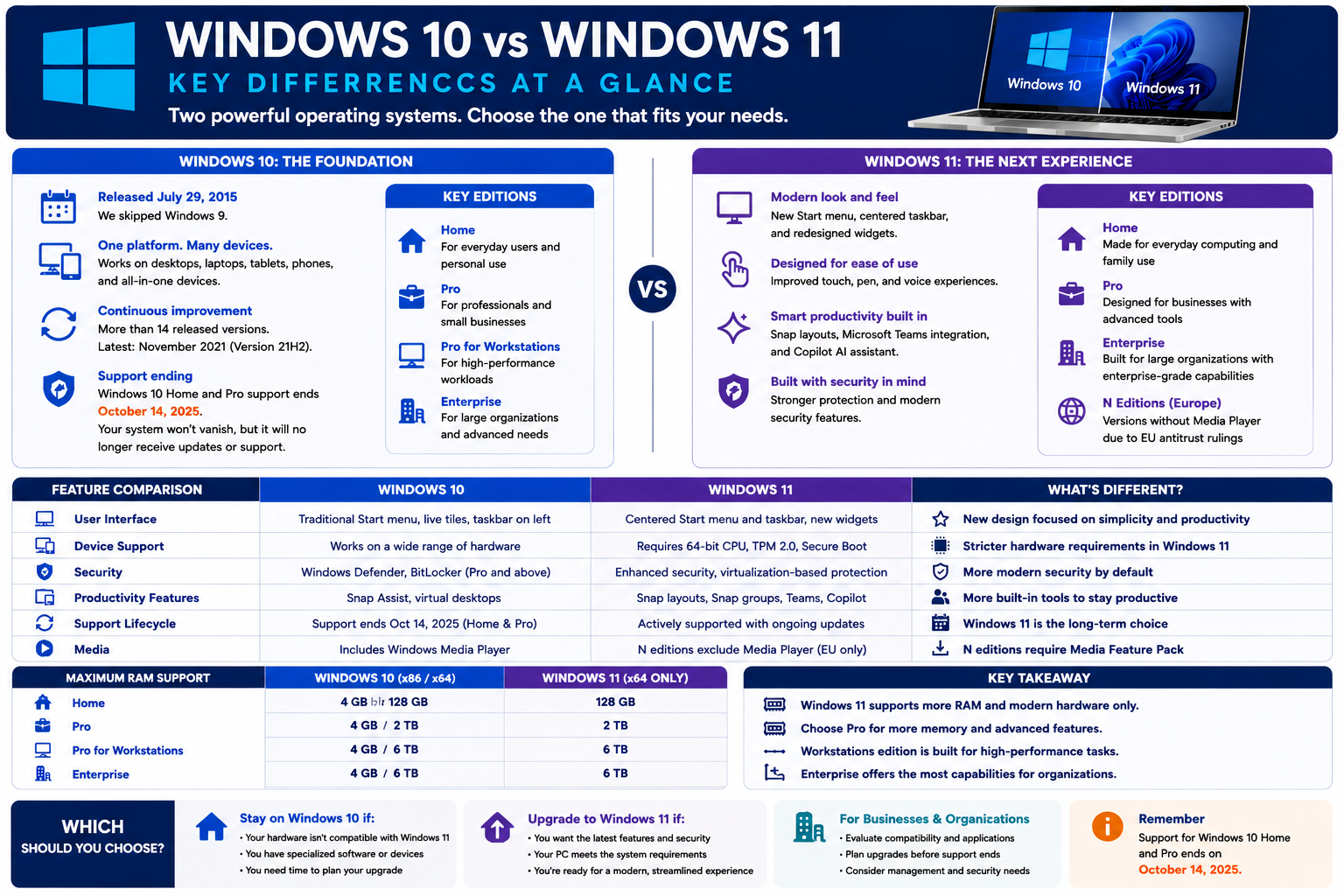
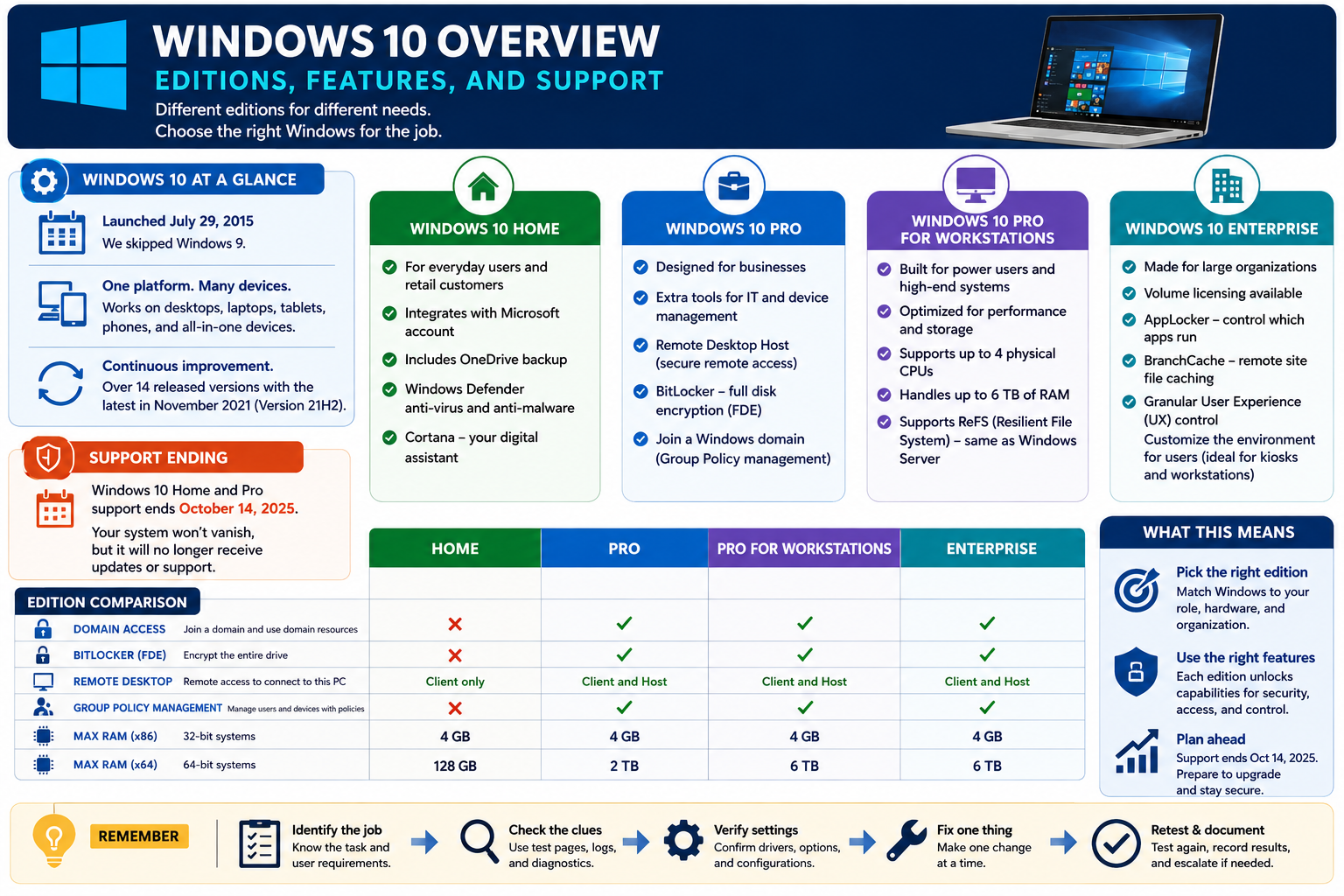
Windows 10 launched on July 29, 2015, as Microsoft's successor to Windows 8.1. It was designed as a common Windows platform across desktops, laptops, tablets, phones, and all-in-one devices, with ongoing feature updates instead of a completely new boxed version every few years. For a technician, the important skill is not just knowing that a device runs Windows 10; it is knowing whether that edition supports what the user or organization needs.
Use the edition as a troubleshooting and recommendation clue.
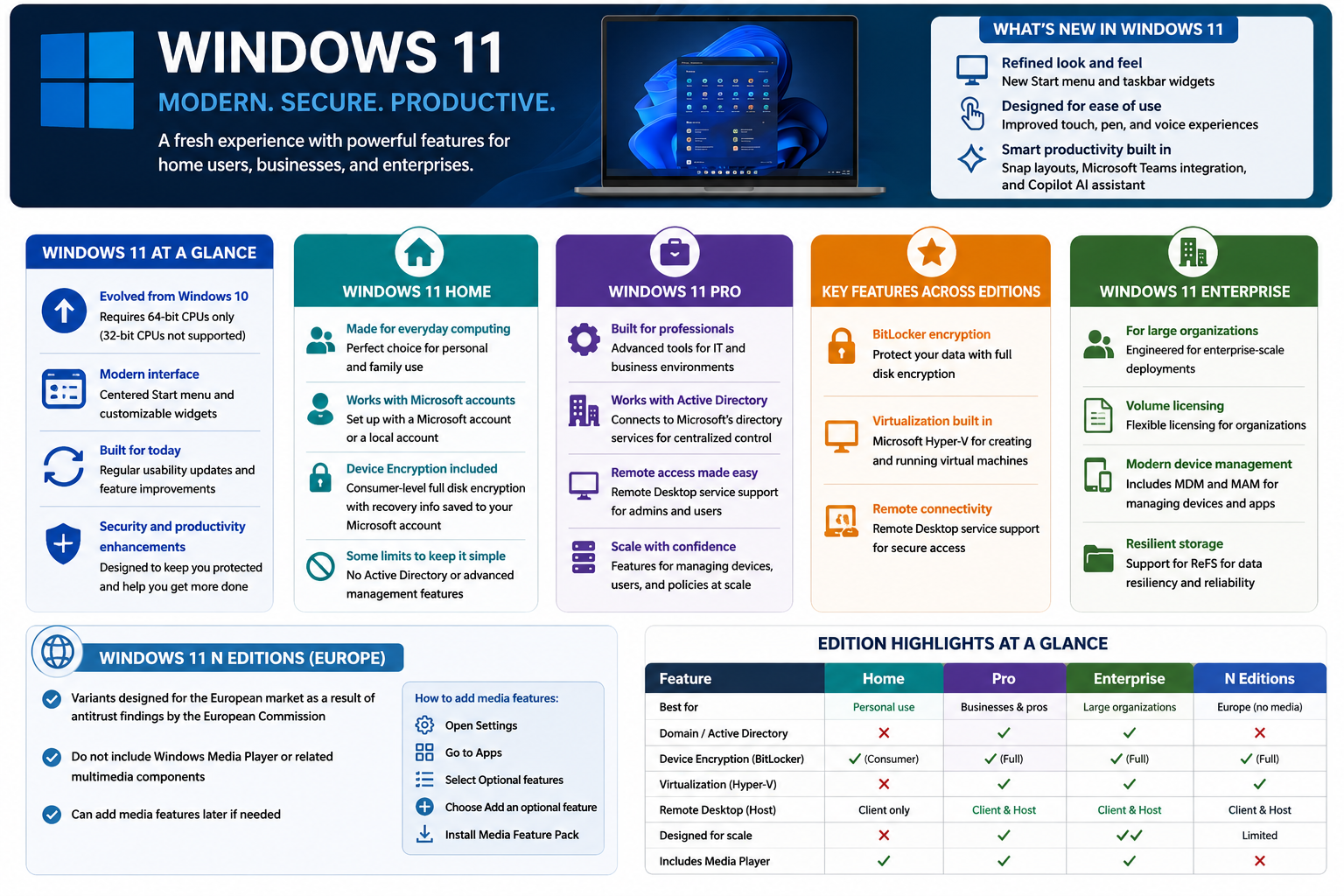
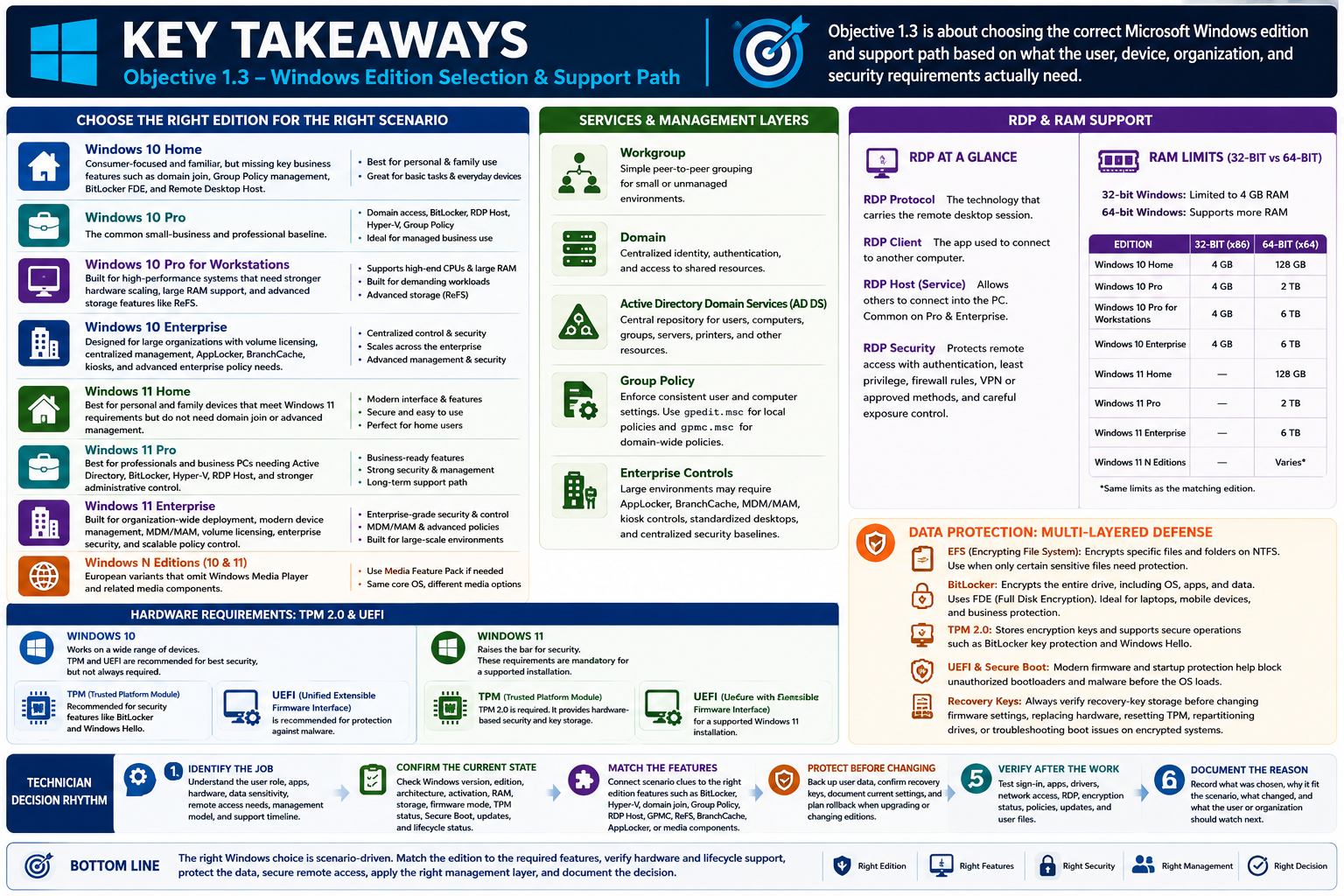
- Windows 10 Home: Built for everyday consumers and retail PCs. It supports common user tasks, Microsoft account integration, OneDrive backup, Windows Defender security, and standard desktop productivity. It is not the right choice when the scenario requires domain join, Group Policy management, BitLocker full-disk encryption, or Remote Desktop hosting.
- Windows 10 Pro: Designed for business users and managed PCs. It adds key IT features such as domain join, Group Policy support, Remote Desktop Host, BitLocker full-disk encryption, and stronger device-management options. If the scenario mentions business management, secure remote access, or joining a Windows domain, Pro is usually the baseline edition to consider.
- Windows 10 Pro for Workstations: Built for high-end workstations and power users. It supports advanced hardware capabilities, larger memory configurations, high-performance workloads, and ReFS support similar to Windows Server storage scenarios. Use this clue when the system is a specialized workstation that needs more performance, reliability, or hardware scaling than standard Pro.
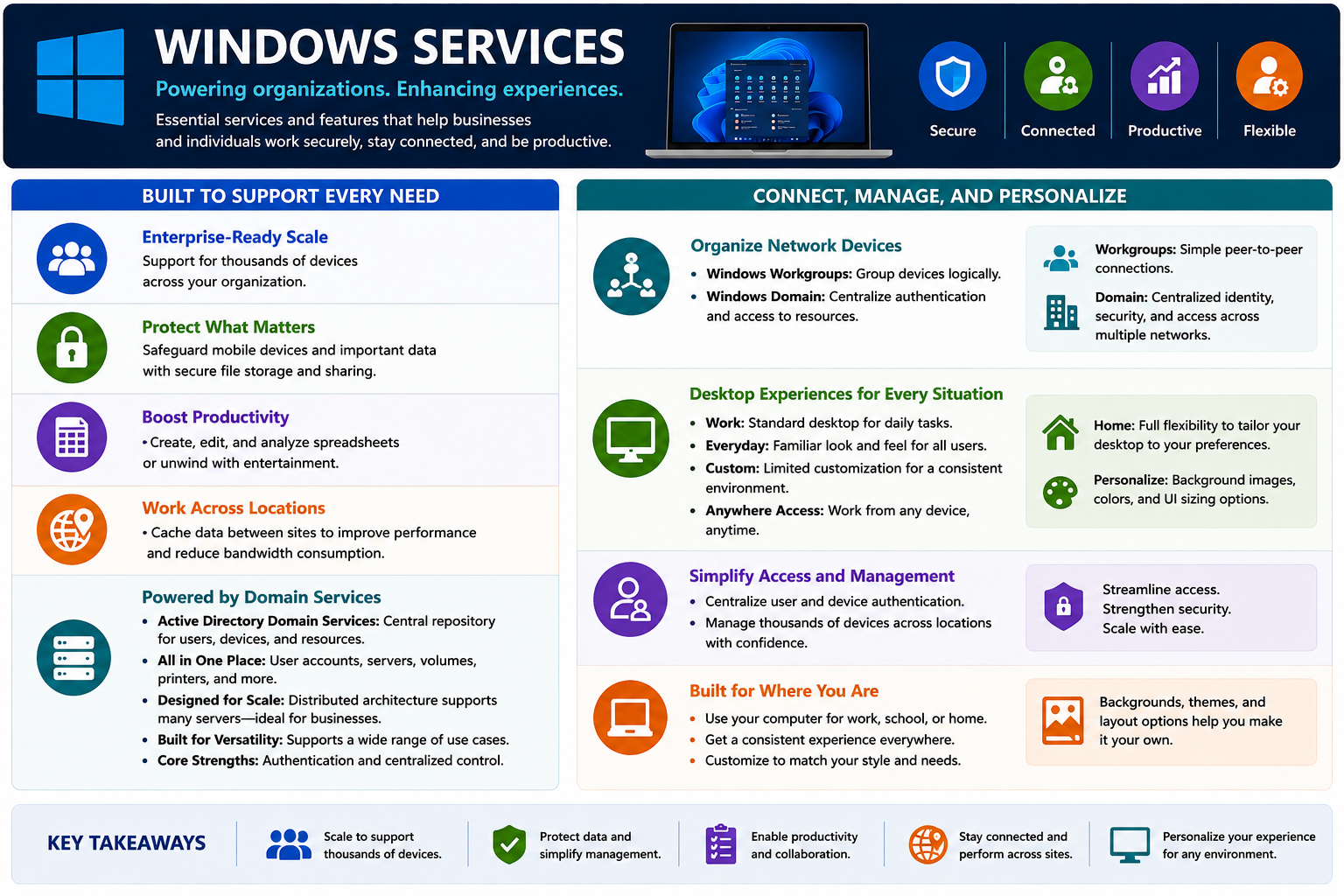
- Windows 10 Enterprise: Made for large organizations that need volume licensing, centralized management, and advanced control. Enterprise features include AppLocker to control which apps can run, BranchCache for remote-site file caching, granular user experience controls, and customization options for shared devices, kiosks, and managed workstations.
Feature differences are testable because they affect real support decisions.
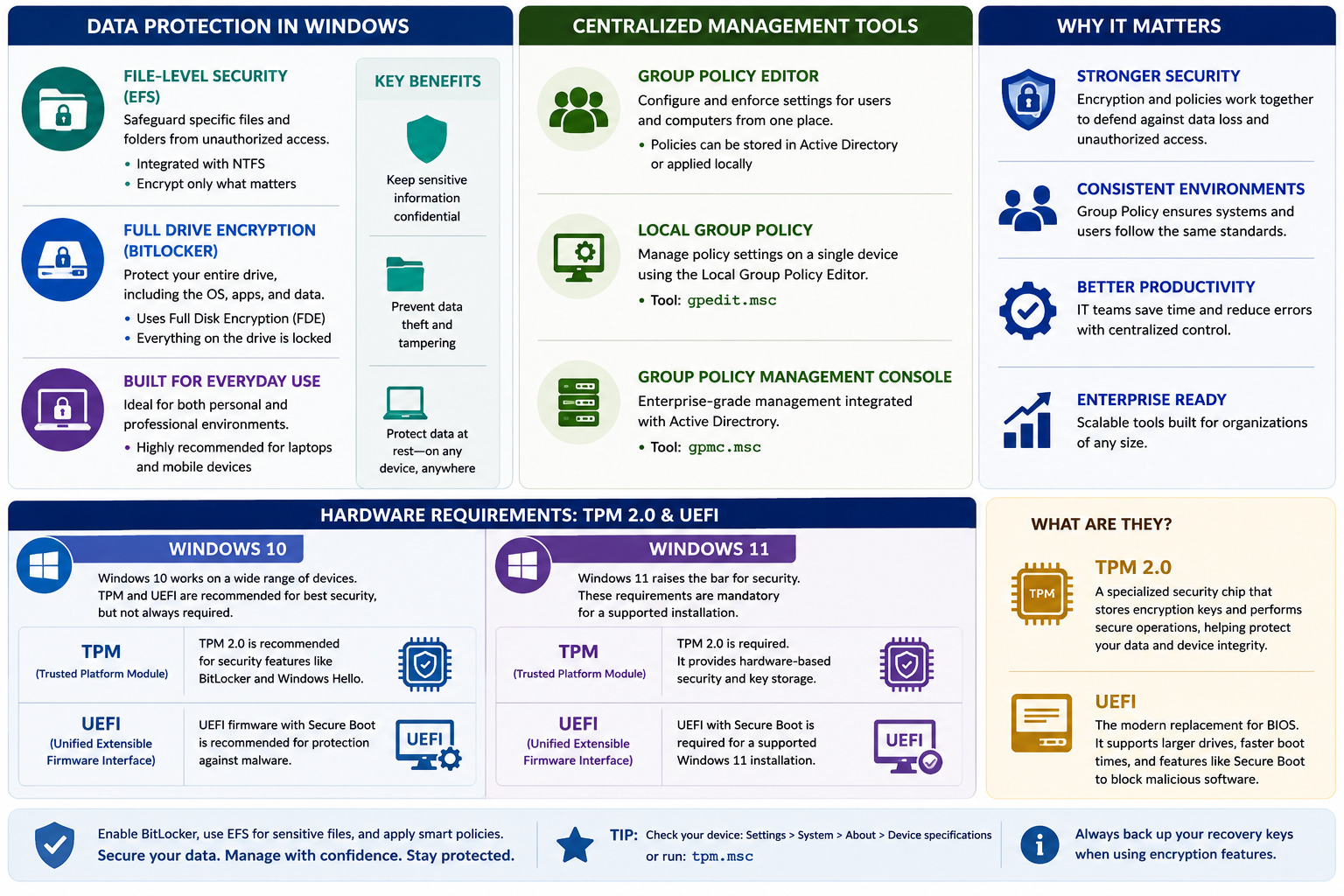
- Domain access: Home cannot join a traditional Windows domain; Pro, Pro for Workstations, and Enterprise can.
- BitLocker: Full-disk encryption with BitLocker is a business/security clue associated with Pro-level and Enterprise editions.
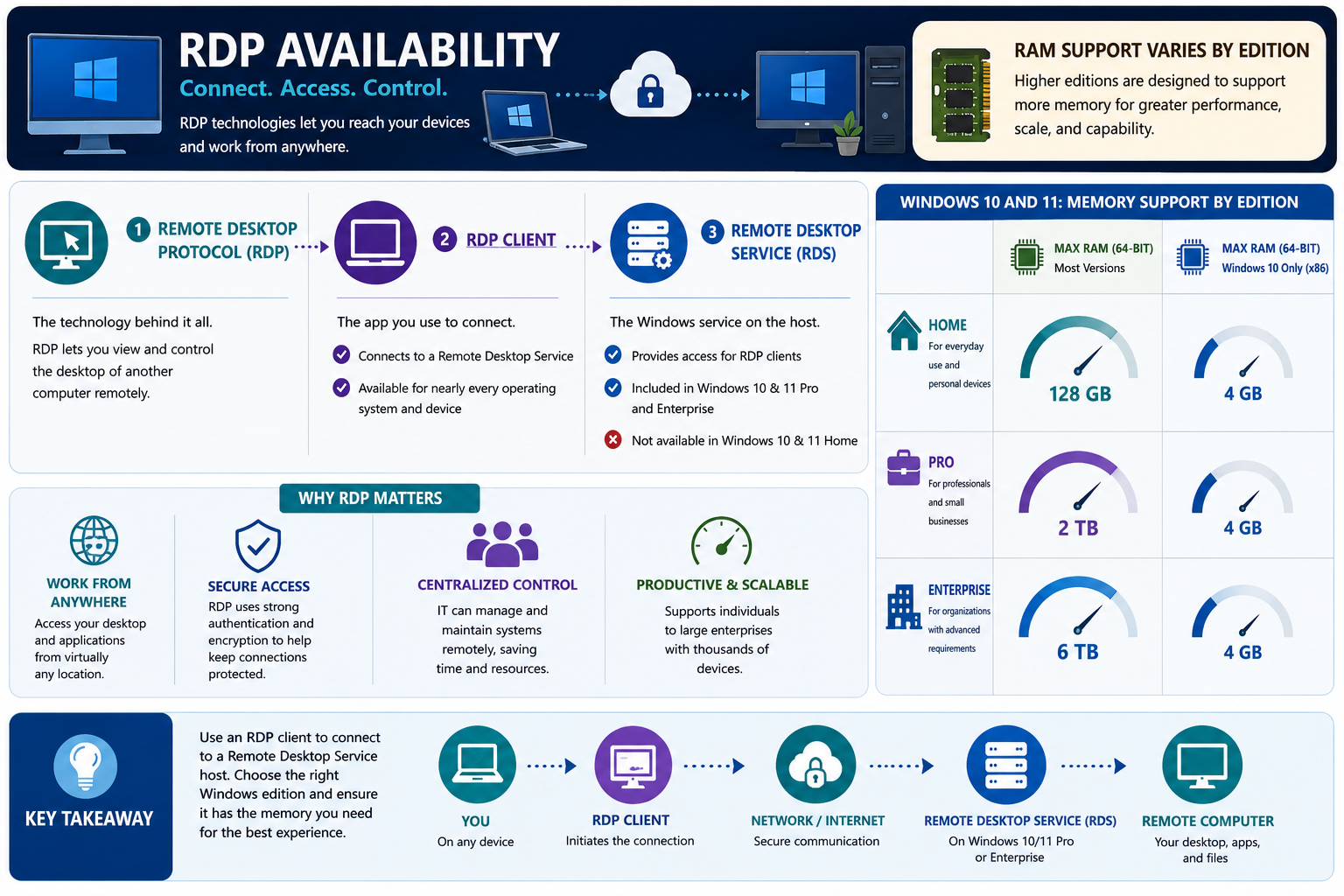
- Remote Desktop: Home can act as a client, but Remote Desktop Host requires a higher edition such as Pro or Enterprise.
- Group Policy: Group Policy management is a Pro/Enterprise feature used to enforce organization settings.
- Memory limits: 32-bit editions are limited to 4 GB RAM. 64-bit editions vary by edition, with Home supporting less than Pro/Enterprise-class editions.
- Workstation storage and performance: Pro for Workstations is the clue when a scenario references high-end CPUs, very large RAM capacity, ReFS, or performance-focused workstation workloads.
Technician workflow:
- Identify the job: Determine the user's role, required applications, management needs, security requirements, and hardware workload.
- Check the clues: Look for domain join, BitLocker, Remote Desktop Host, Group Policy, AppLocker, BranchCache, kiosk controls, ReFS, memory needs, and licensing requirements.
- Verify settings: Confirm the installed edition, activation state, architecture, device specifications, update status, and compatibility before recommending changes.
- Fix one thing at a time: If the wrong edition is installed, plan an edition upgrade or reinstall path that preserves data and meets licensing rules.
- Retest and document: After changing edition, enabling features, or planning an upgrade, verify the feature works and record what changed.
Bottom line: Pick the Windows 10 edition that matches the job. Home is for consumers, Pro is the business baseline, Pro for Workstations is for high-end workloads, and Enterprise is for large-scale management and control.